

A client approves a date in chat, a teammate changes it in a Task, and the latest file feedback remains in email. Every message may be valid, yet nobody can tell which record controls the next action.
A client communication plan prevents that split by defining who communicates, where each update goes, what needs a response, and where decisions are recorded. The template should be short enough for the team to follow during a busy week.
Start with communication jobs
Start by listing the jobs communication needs to perform:
- Announce a project or relationship update
- Ask a quick clarification question
- Collect structured information or files
- Assign an action with a due date
- Review a specific file or version
- Record a decision
- Deliver final work
- Handle an urgent service interruption
One channel rarely fits every job. Email can notify the client. A Request can collect structured answers. A Task can assign work. A file thread can hold version-specific feedback. Chat can resolve a quick question.
The plan connects those surfaces instead of pretending they are interchangeable.
Copy this communication plan template
Complete one table for each client or service type:
| Communication job | Primary place | Owner | Expected response | Durable record |
|---|---|---|---|---|
| General account update | Account conversation | Account lead | Client replies when needed | Account conversation |
| Project status | Board Overview | Project lead | Named decisions only | Status history and related Tasks |
| Structured intake | Request | Account lead | Complete visible required fields by due date | Request response |
| Assigned client action | Task | Named assignee | Complete or comment by due date | Task activity |
| File feedback | File comments and pins | Review lead | Comment on the current version | File thread and version history |
| Final handoff | Deliverable | Delivery owner | Open and retrieve the package | Deliverable view plus explicit decision record when required |
| Urgent interruption | Agreed urgent channel | Named duty owner | Follow the stated escalation rule | Incident or work record |
Add the contact names, usual rhythm, and exception path underneath the table.
Give the relationship one client-facing owner
Clients should know who coordinates the relationship even when specialists answer detailed questions.
The account lead owns:
- The regular update rhythm
- Routing a question to the right person
- Resolving conflicting messages
- Confirming decisions and scope changes
- Updating the plan when the engagement changes
This does not mean the account lead must write every response. It means someone owns the quality and continuity of communication.
Route chat by audience
Sydnee Live Chat offers an account conversation for the client relationship, named channels for defined participant groups, and direct messages for eligible one-to-one conversations. Match the surface to the intended audience instead of repeating the same update in all three.
Clients can use the portal chat experience for the account conversation, channels they were added to, and direct messages with eligible team members. They cannot discover team channels, create channels, manage membership, or direct-message another portal user.
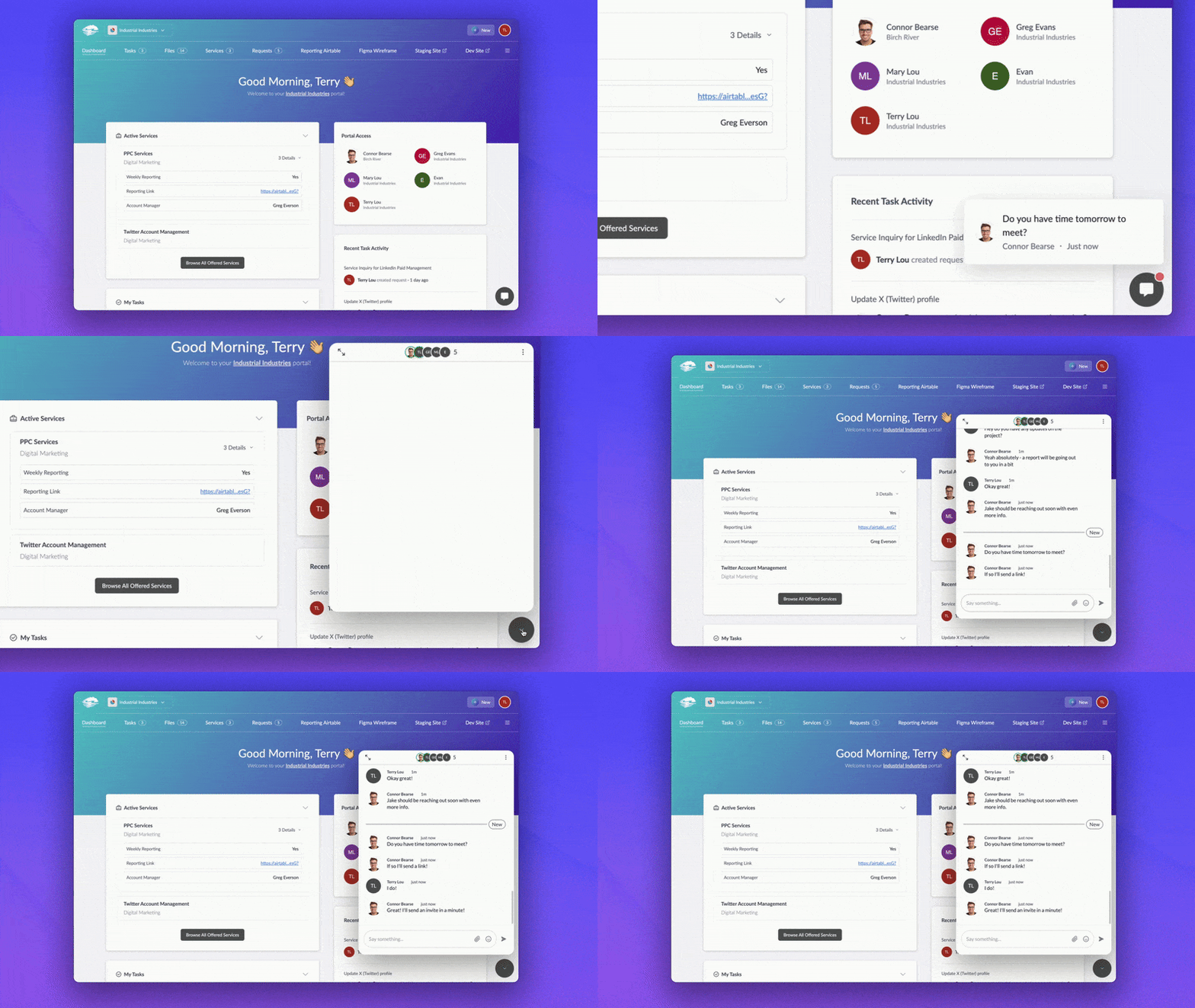
The Live Chat routing guide covers these conversation boundaries in detail.
Keep structured work out of chat
Chat is good at context and quick clarification. It is weak as the only record of an assignment, form response, or file decision.
Use a Request when you need structured answers, required fields, files, a due date, or supported reminders. Use a Task when one person needs to act. Use a file comment when feedback belongs to a specific version or location.
A Sydnee chat message does not automatically become Task activity or a Request response. Move the durable outcome to the work it changes.
For example:
The client confirms the launch date in chat. The project lead updates the relevant Task date and records the confirmed date in the board update. The chat remains useful context, but the plan now reflects the decision.
Define response expectations carefully
Avoid promising “instant replies” or “responses within minutes” unless your staffing model truly supports that commitment.
Define:
- Your normal service hours
- Which messages require acknowledgement
- The expected response window by message type
- The urgent path and what qualifies as urgent
- What happens when the usual owner is unavailable
Separate response time from resolution time. Acknowledging a message does not mean the work is finished.
Notification settings also affect attention. Live Chat participants can use conversation-level notification choices, unread state, and supported alert channels. Mutes, browser permissions, email preferences, and device state mean an alert should not be treated as guaranteed proof that someone saw the message.
Establish an update rhythm
Use a rhythm that fits the work rather than defaulting every client to a weekly meeting.
Examples:
- A weekly written board update for an active project
- A monthly service summary for a retainer
- A milestone update when the next client decision becomes available
- An immediate message when an agreed risk threshold is crossed
The update should point to the current work. It should not duplicate every task and comment into a second reporting system.
Use the client project status update template for the status, outcomes, next steps, and decisions.
Review the plan from the client side
Test the plan with five questions:
- Does the client know where to ask a general question?
- Can they tell where an assigned action or intake response belongs?
- Is the named relationship owner clear?
- Can they distinguish a chat reply from an official decision?
- Do they know what qualifies for the urgent path?
The best communication plan removes routing decisions from the client. Explore Sydnee Live Chat to keep conversation close to Requests, Tasks, Files, and delivery without turning chat into the system of record for everything.







