Gradient background pattern

Live chat, built into your client portal

Keep conversations organized and collaborate with clients and your team in real time. @Mentions and conversation export—all without per-seat pricing.

Sydnee customerSydnee customerSydnee customerSydnee customer

Used by 2,000+ agencies & freelancers

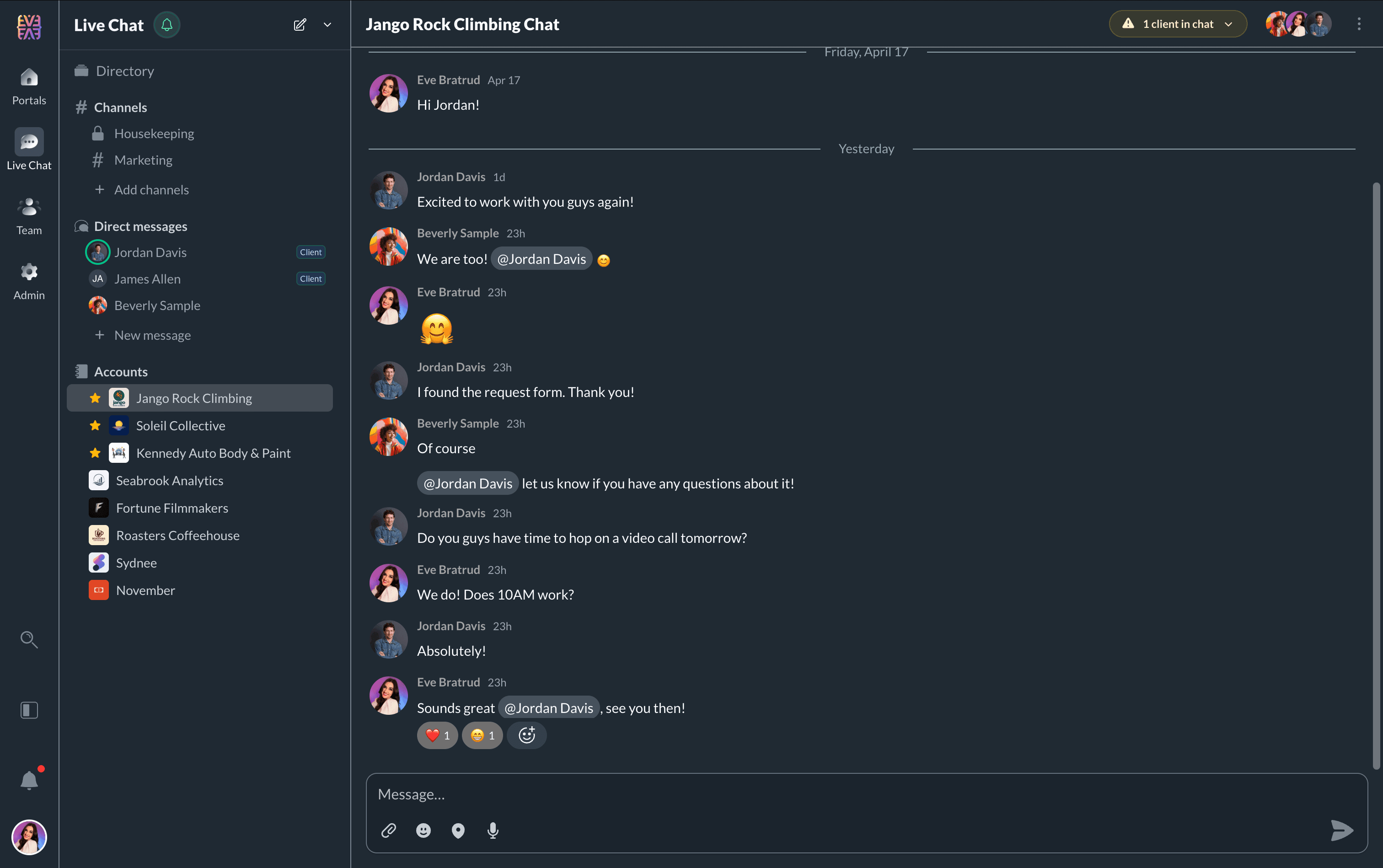
Sydnee live chat interface showing real-time client messaging

12 Powerful Features

Everything you need for client communication

From @mentions to CSV export—a complete real-time messaging solution built for client-facing teams.

Real-Time Messaging
@Mentions
Typing Indicators
Notification Control
Mentions-Only Mode
Per-Account Chat
Chat on Every Page
CSV Export
Brand Theming
Online Presence
Per-Account Toggle

Powerful for You – Simple for Your Clients

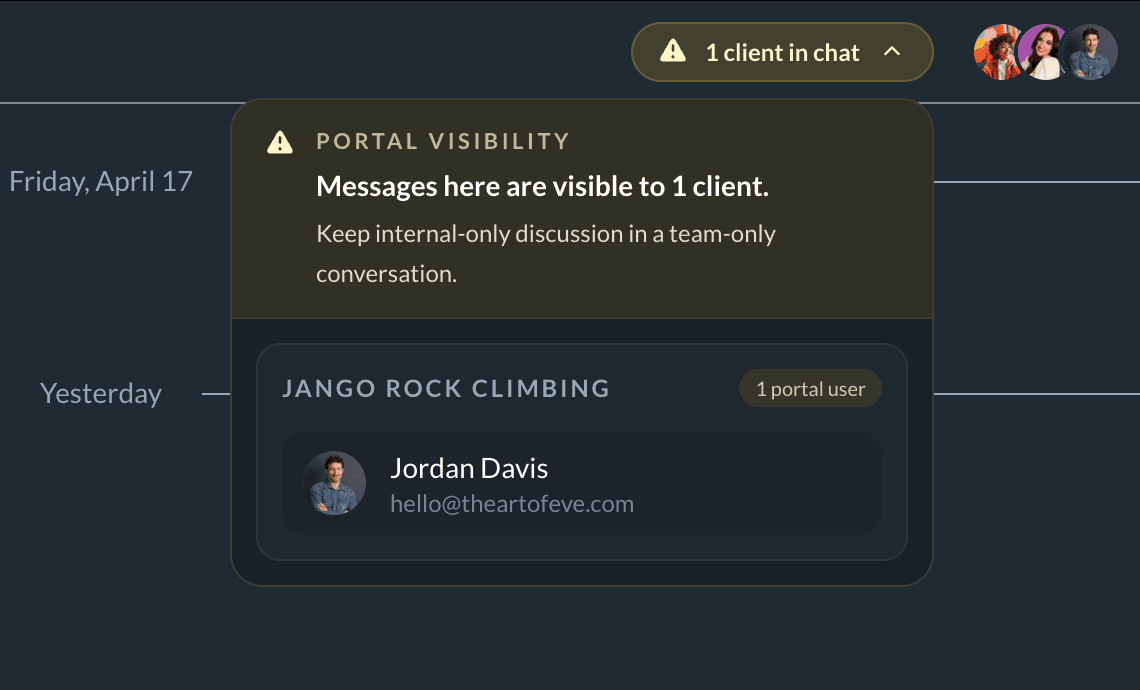
Each account has its own private live chat room, where all team members and clients with access to the account can participate in conversations.

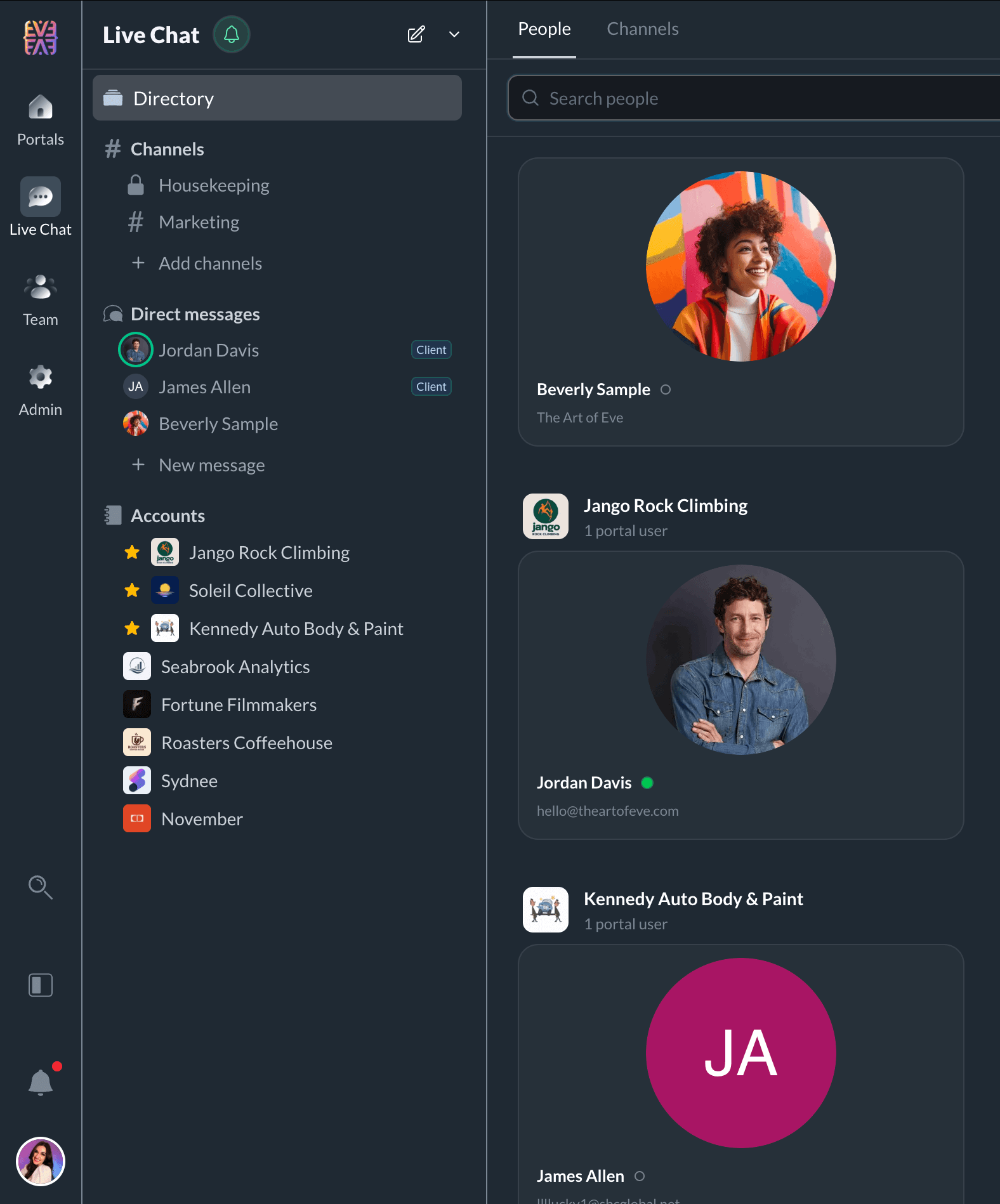
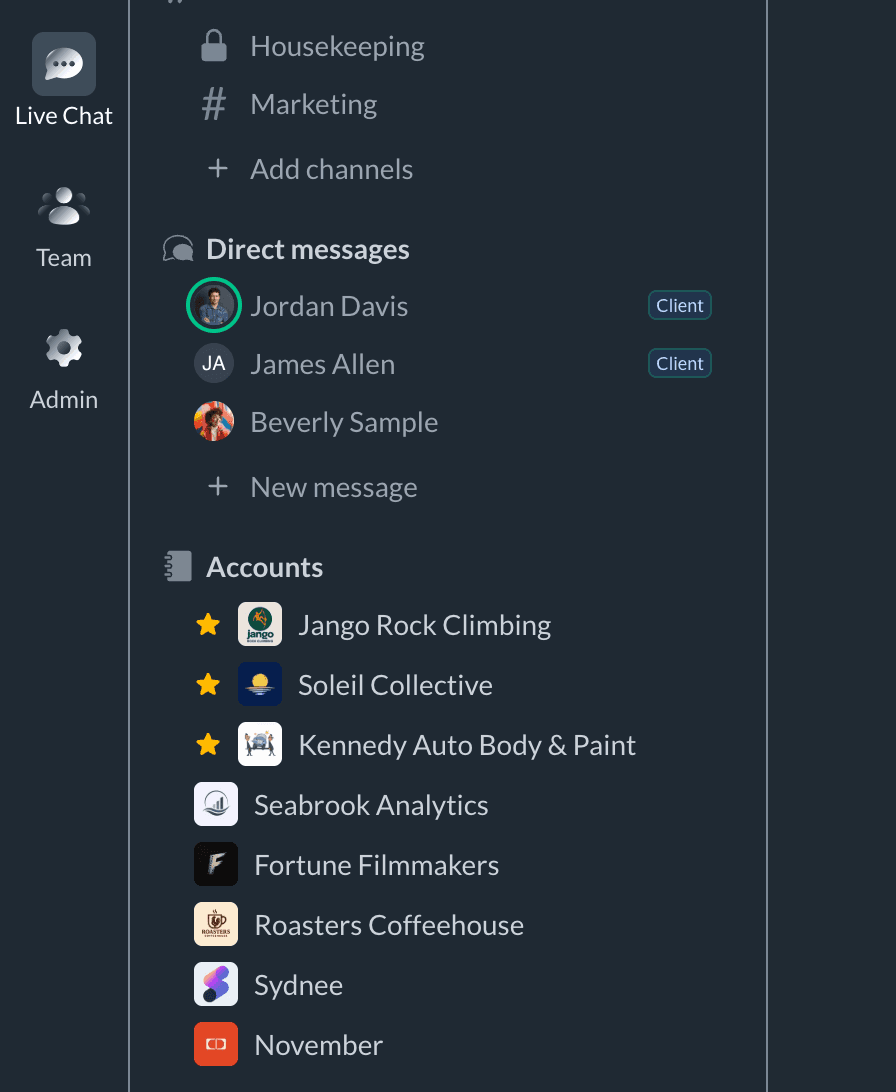
You get the pro view — a full chat experience with all your accounts in one place.

Sydnee pro dashboard showing all client chat conversations in one unified view

Your clients see a simple chat bubble with pop-ups, keeping things easy and intuitive for them.

@Mentions for Urgent Matters

Need someone's attention? Type @ and their name. They'll get notified immediately—even if they have notifications set to "Mentions Only."

  • Mention any team member or client by name
  • Cuts through "Mentions Only" notification settings
  • Perfect for time-sensitive requests
  • Coordinate across multiple team members
@Mention feature in live chat for urgent client communications

Granular Control

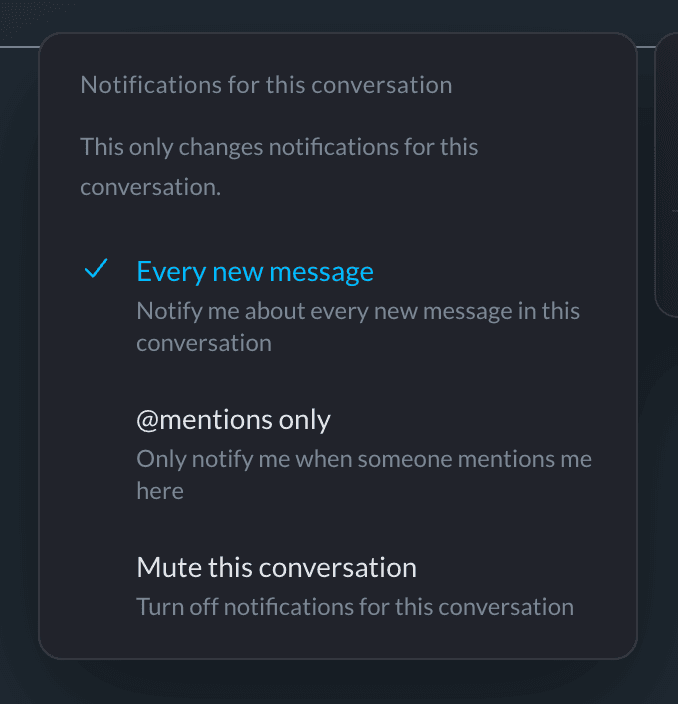
Three Notification Modes

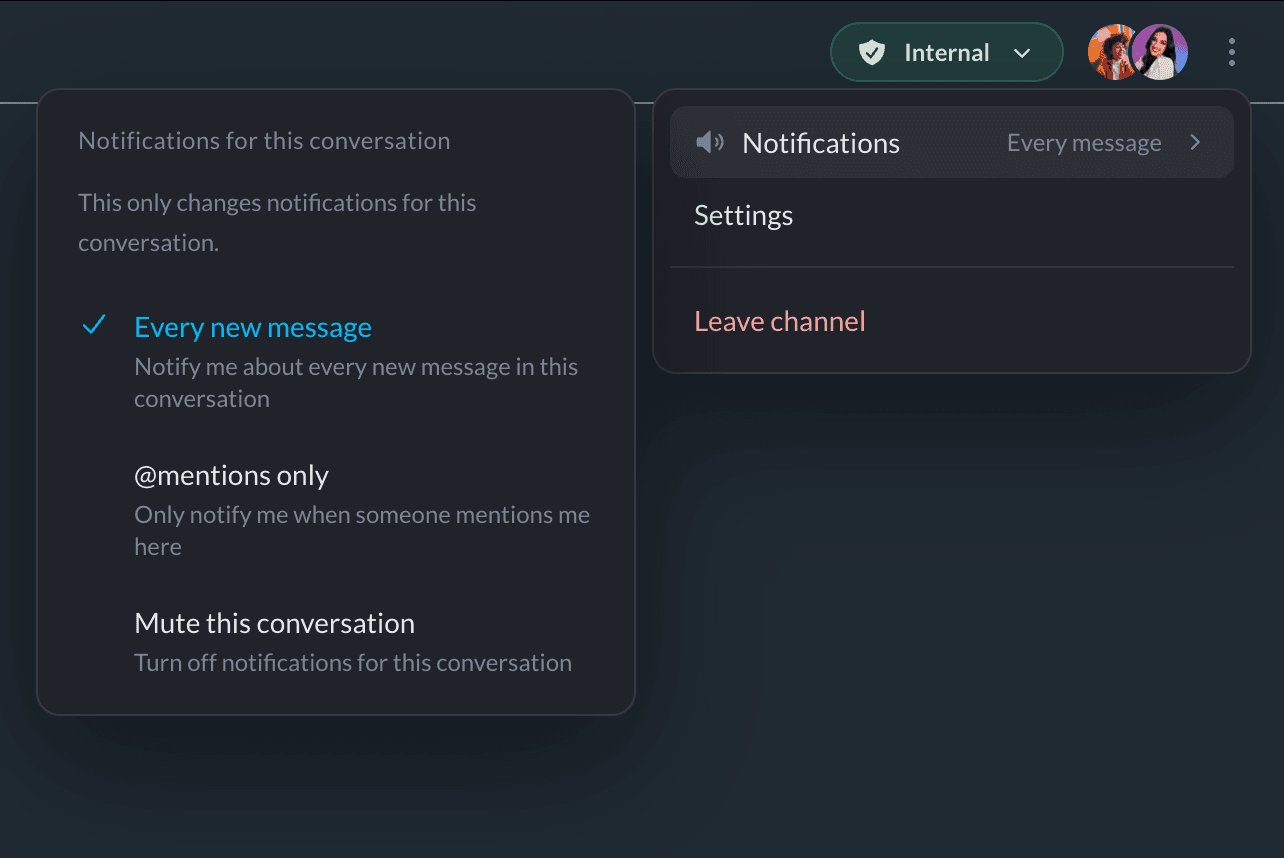
Fine-tune notifications per client—mute quiet accounts, go mentions-only for busy ones, or stay fully connected. Admins can configure client-side preferences too.

All Messages

Get notified for every message

  • Instant notifications for all messages
  • Email fallback for missed messages
  • Desktop and mobile alerts
  • Perfect for active accounts

Mentions Only

Only notified when @mentioned

  • Ignore general chatter
  • Get alerted when you're needed
  • Reduce notification fatigue
  • Ideal for busy teams

Muted

No notifications at all

  • Complete silence
  • Chat still accessible
  • Catch up on your schedule
  • Perfect for dormant accounts
Compliance Ready

Export Conversations for Compliance

Every message is preserved and exportable. Download complete conversation history as CSV for auditing, record-keeping, or compliance requirements.

Complete message history with timestamps
CSV format for easy auditing
Sender information and info
One-click export from chat settings
Mobile-First

Works Beautifully on Every Device

Your clients can message you from anywhere. Full-screen chat on mobile and chat bubble on dekstop once they are logged in.

Full-screen mobile interface
Desktop pop-up notifications
Auto-matches your portal branding

Why agencies choose Sydnee over Slack

Slack

Client messaging

$9/user/mo
  • Per-user pricing for your team AND clients
  • Slack Connect requires paid plans on both sides
  • Client conversations mixed with internal chat
  • No connection to tasks, files, or requests
  • Clients need to learn another tool

Sydnee

All-in-one portal

$30/mo
  • Flat pricing—unlimited team and client seats
  • Per-account chat rooms keep context clear
  • Chat integrated with tasks, files, requests
  • Clients message you inside their portal
  • @Mentions and export built in
Try Sydnee Free for 5 Days

No credit card required

Built for Financial Professionals

Live Chat for Every Service Type

Whether you're filing taxes, closing books, or providing CFO services—live chat keeps clients informed without the inbox clutter.

Marketing Agencies

Digital Marketing, SEO, PPC

  • Quick campaign clarifications
  • Content approval discussions
  • Real-time client feedback
  • Project status updates

Creative Agencies

Design, Branding, Video

  • Design revision requests
  • Creative direction discussions
  • Asset delivery coordination
  • Brand guideline questions

Photographers

Studios, Freelancers, Events

  • Session scheduling updates
  • Shot list discussions
  • Gallery feedback collection
  • Editing preference clarifications

Coaches & Consultants

Business Coaches, Trainers, Advisors

  • Session follow-ups
  • Client check-ins
  • Program questions
  • Accountability updates

Event Professionals

Planners, Coordinators, Vendors

  • Vendor coordination
  • Timeline updates
  • Last-minute changes
  • Day-of communication

IT & Web Services

MSPs, Web Developers, SaaS

  • Support ticket discussions
  • Project scope clarifications
  • Development updates
  • Technical Q&A

Frequently Asked Questions

Everything you need to know about Sydnee's live chat feature.

How does live chat work in Sydnee?

Each client account has its own dedicated chat room. Your team sees all conversations in a unified dashboard, while clients see a simple floating chat bubble in their portal. Messages are delivered in real-time with typing indicators.

Can I control notifications per client?

Yes! Each chat room has granular notification controls. Choose between All (every message), Mentions Only (only when @mentioned), or Muted (no notifications). You can also enable or disable chat entirely per account.

How do @mentions work?

Type @ followed by a team member's name to mention them. They'll receive a notification even if they have notifications set to 'Mentions Only.' Perfect for urgent matters or bringing specific people into a conversation.

Can I export chat history?

Absolutely. Export any conversation as a CSV file for compliance, record-keeping, or auditing purposes. The export includes all messages, timestamps, and sender information.

Is there a limit to chat users?

No! Unlike per-seat tools like Slack, Sydnee includes unlimited team members and clients in live chat at no extra cost. Your whole team and all your clients can participate.

Does live chat work on mobile?

Yes. The chat interface is fully mobile-optimized. Clients see a full-screen chat on mobile devices, while desktop gets a convientent chat bubble in their portal on all pages.

How do I enable or disable chat for specific clients?

In the chat settings modal, toggle the chat on or off per account. Useful for clients who prefer other communication methods or for accounts that don't require real-time messaging.

Sydnee

Try Sydnee Client Portals Today

Client & team live chat
Built in task manager
Showcase services in your portal
Easy client onboarding & info requests
Secure file storage & sharing
Embed Calendly, Figma, Loom, Google Looker & more
Custom domain & full white labeling
Unlimited client & teammate seats
No credit card required

Simple Pricing.

Get 100% setup and implemented before ever pulling out the credit card.

Standard

per month

Start free trial
  • All features included
  • 1,000 Accounts
  • 1TB Storage
  • Unlimited teammates & client seats
  • Custom domain + email white-label
  • API + Zapier Access

Premium

per month

Start free trial
  • Everything in Standard
  • Priority Support
  • 10,000 Accounts
  • 3TB Storage
  • Sydnee turned our onboarding into a simple, repeatable process that just works.

    Patrick Benske, Benske Agency, Founder
    Patrick Benske
    Benske Agency, Founder
  • Whether you're tech savvy or not, this is gonna work for you, and it's so simple, anyone can use it.

    Steven Diamond, Diamond Ai Media Group, Founder
    Steven Diamond
    Diamond Ai Media Group, Founder
  • Between the white-labeling, templates, and client collaboration, Sydnee covers everything we used to patch together across other tools.

    Carmelo Santos, Co-found Council of Marketers
    Carmelo Santos
    Co-found Council of Marketers
  • It's so nice to have everything in one place—clients can see our progress, and we can see every task at a glance

    Michael Rapino, HoneyQuill Agency, Founder
    Michael Rapino
    HoneyQuill Agency, Founder
  • Sydnee has been the best investment I've made for my agency thus far. There is not better platform with the features included for the price point they are at.

    Luis Leon, Promise Pixel, Founder
    Luis Leon
    Promise Pixel, Founder
  • Sydnee offers our Clients a clean simple platform that is easy to understand and navigate.

    Laura McDermott, Owner, Mcdermott Law Firm, PLLC
    Laura McDermott, Owner
    Mcdermott Law Firm, PLLC