
Client Task Management in One Shared Portal
Coordinate client work with milestones, subtasks, dependencies, recurring tasks, and templates, all inside the branded portal your clients already use. Keep internal work internal with simple visibility controls.


Trusted by 1,000+ freelancers & agencies worldwide
Everything on every task board
Plan separate streams of client work, assign owners, keep discussion and files with each task, and give clients a focused view of what involves them.
- Overview, Table, Board & Date
- Multiple boards per account
- Saved personal & shared views
- Filters, sorting & grouping
- Milestones & dependencies
- Nested subtasks
- Priority & tags
- Task templates
- Recurring tasks
- Assignee reminders
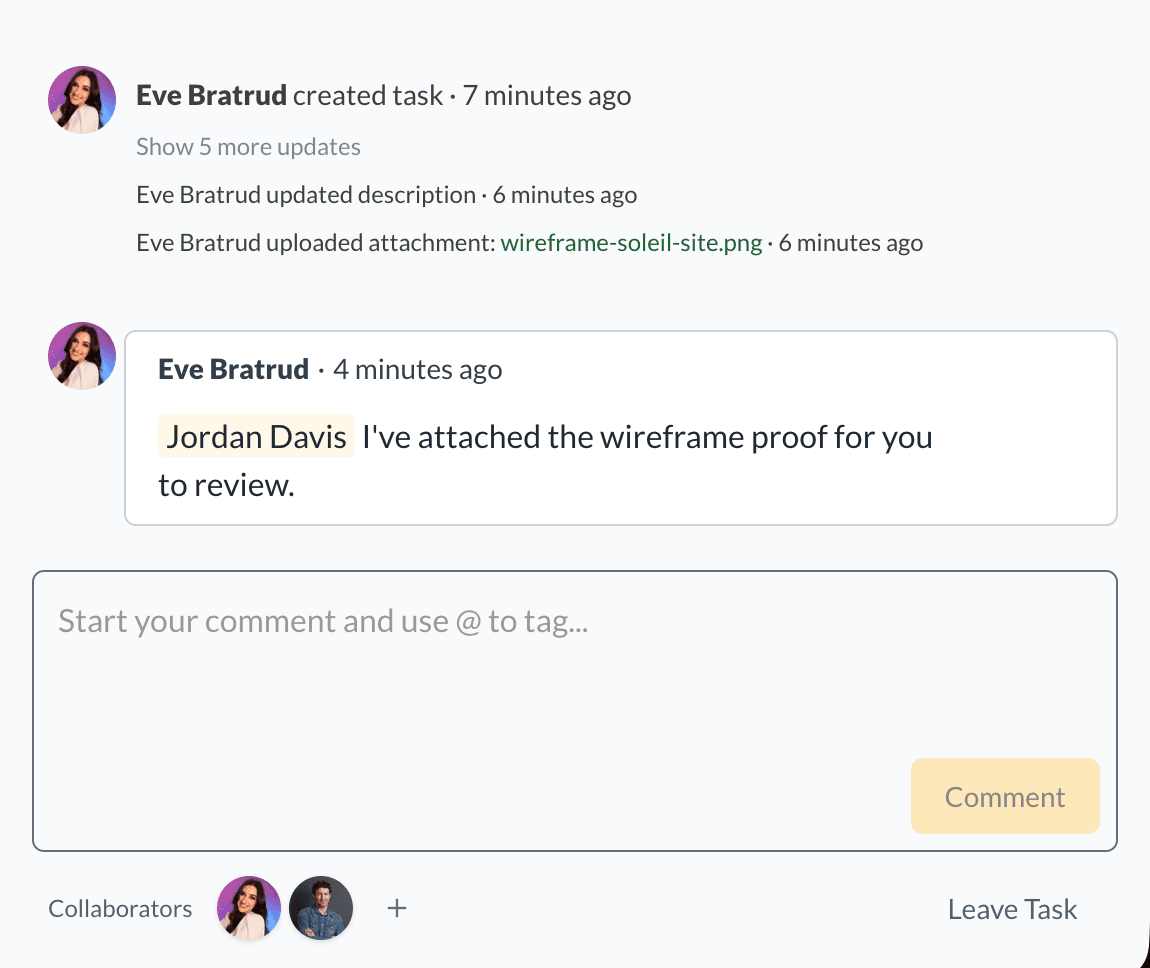
- Comments & @mentions
- Collaborators & direct links
- Task files & previews
- Bulk actions
- Archive & restore
- Client visibility & edit access
- Team & client assignment
- Board status updates
- My Tasks across accounts
- Inbox & dashboard widgets
Multiple ways to view the same board
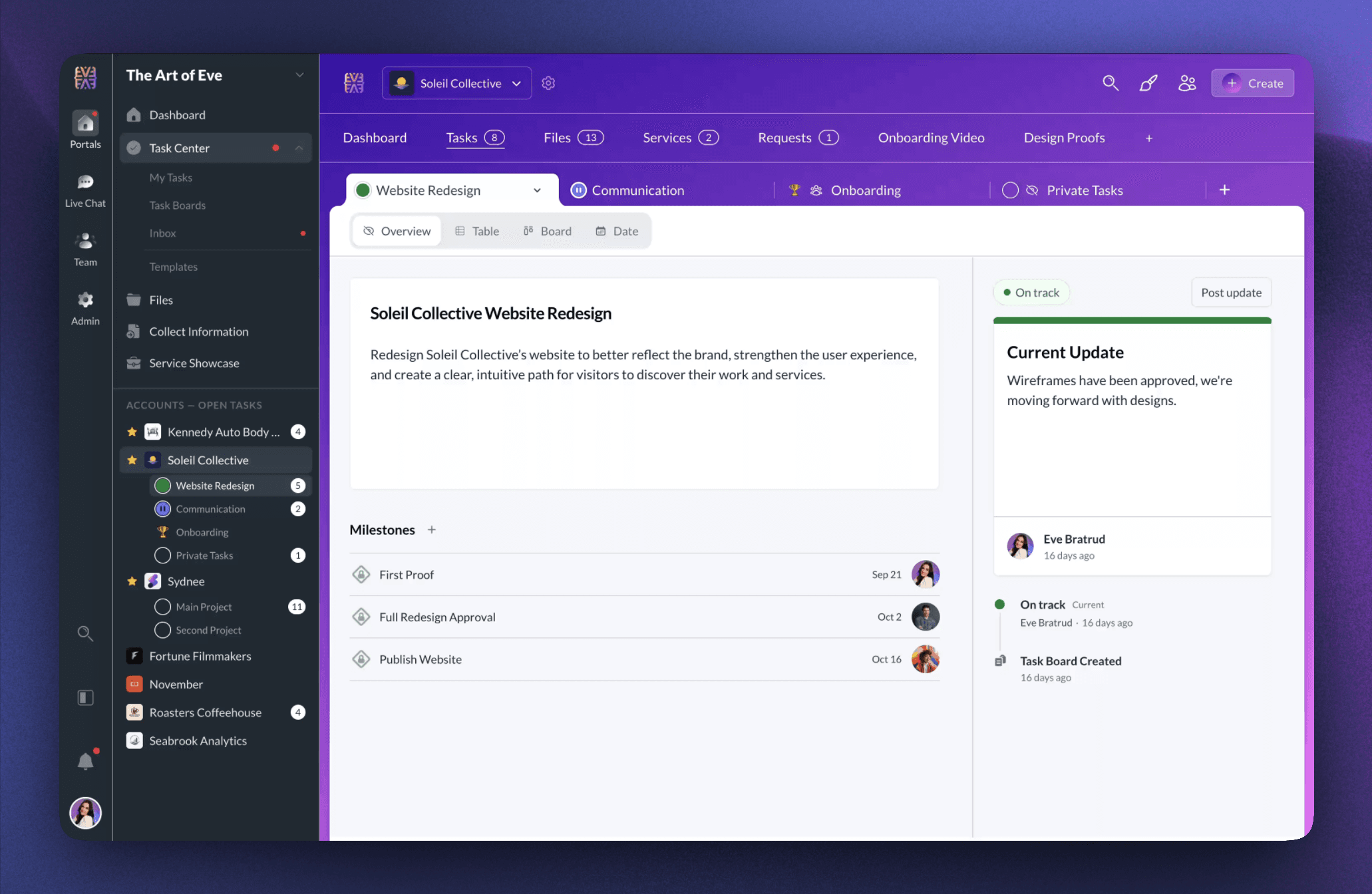
Use Table for scannable rows, Board for Kanban columns, and Overview for milestones and status. Date is the task calendar, with Month, Week, Day, and Agenda layouts for scheduled work.
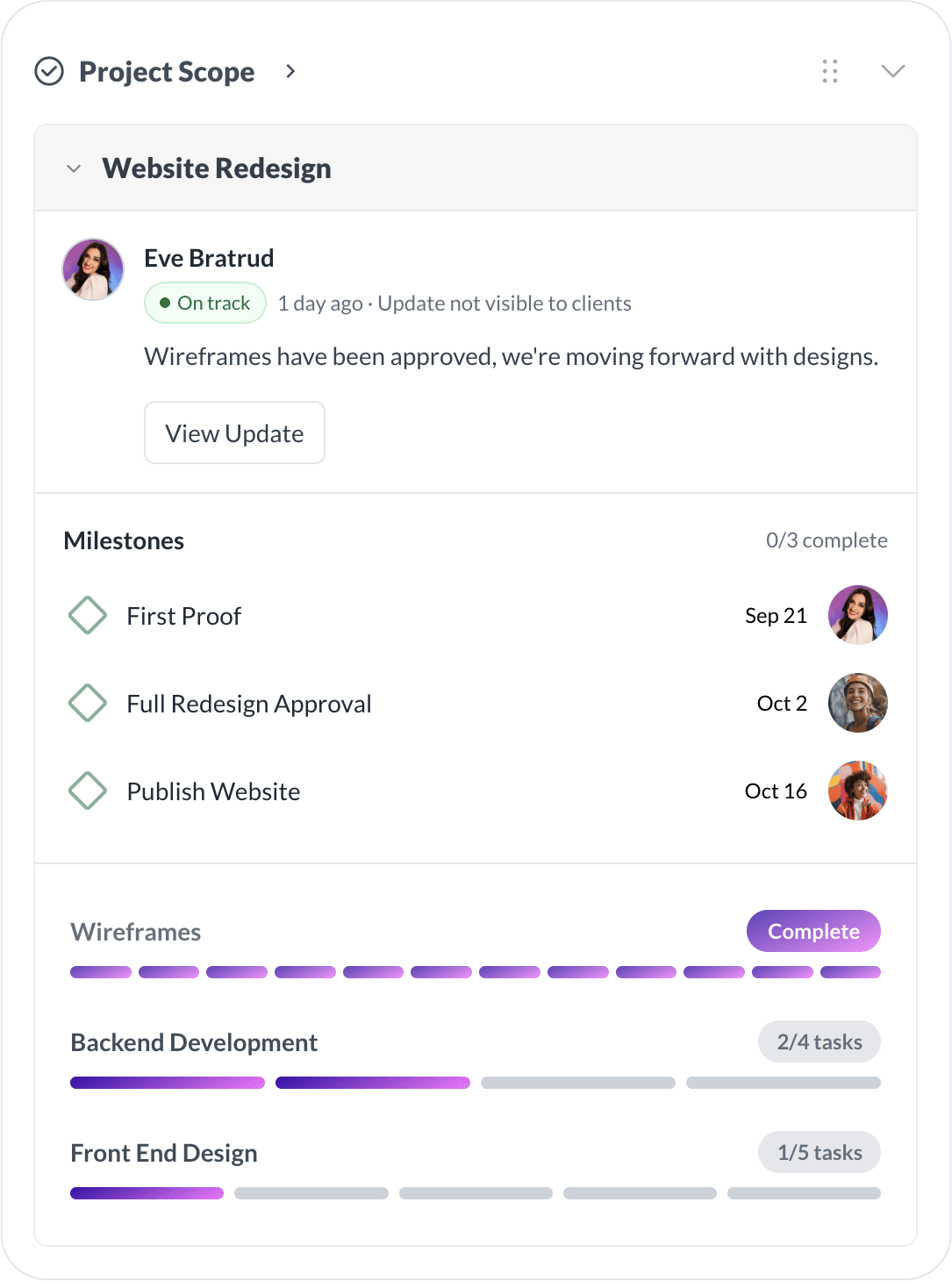
Keep the board brief, milestones, current status, next steps, and status history together in one high-level view.
Give Every Stream of Work Its Own Board
Create multiple task boards inside one client account so a launch, monthly service, or internal workstream can keep its own structure, views, and access settings.
- Choose the board that opens first in the account’s Tasks page
- Reorder board tabs or duplicate an existing board
- Archive finished boards and restore them when needed
- Set board access to Everyone, Team only, or Custom
Milestones, Subtasks, and Dependencies
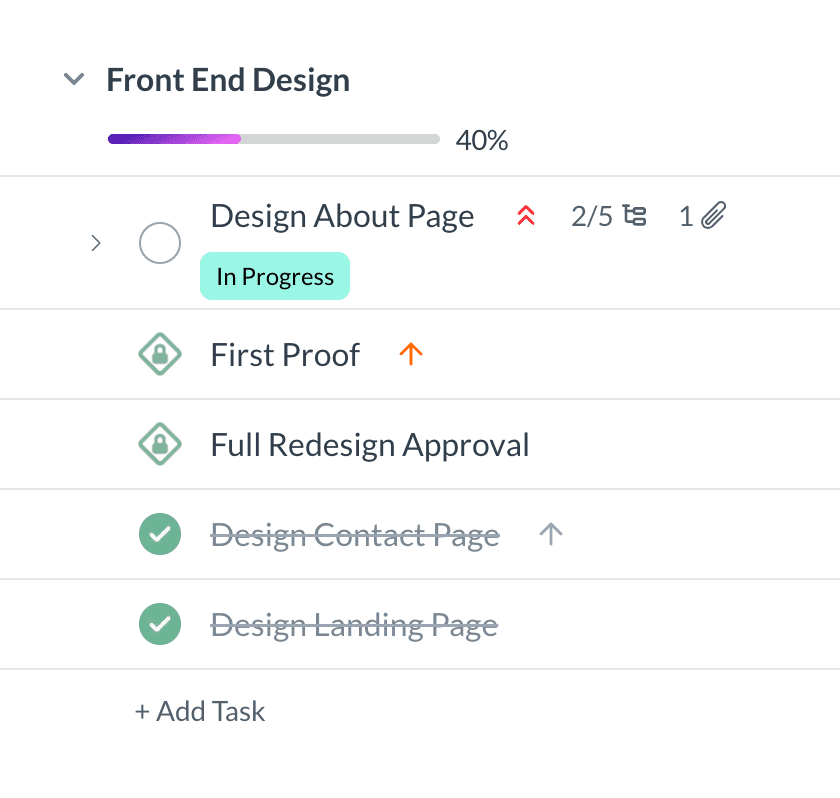
Mark key checkpoints as milestones, break larger work into nested subtasks, and link tasks with dependencies so completion stays blocked until every blocker is done.
- Milestones mark key checkpoints at the top of a board
- Subtasks carry their own assignee, due date, and description
- Progress tracked across a task's immediate subtasks
- Dependencies keep a task blocked until every blocker is complete
- Clients see Blocked while private task names stay hidden
Repeat Routine Work Without Rebuilding It
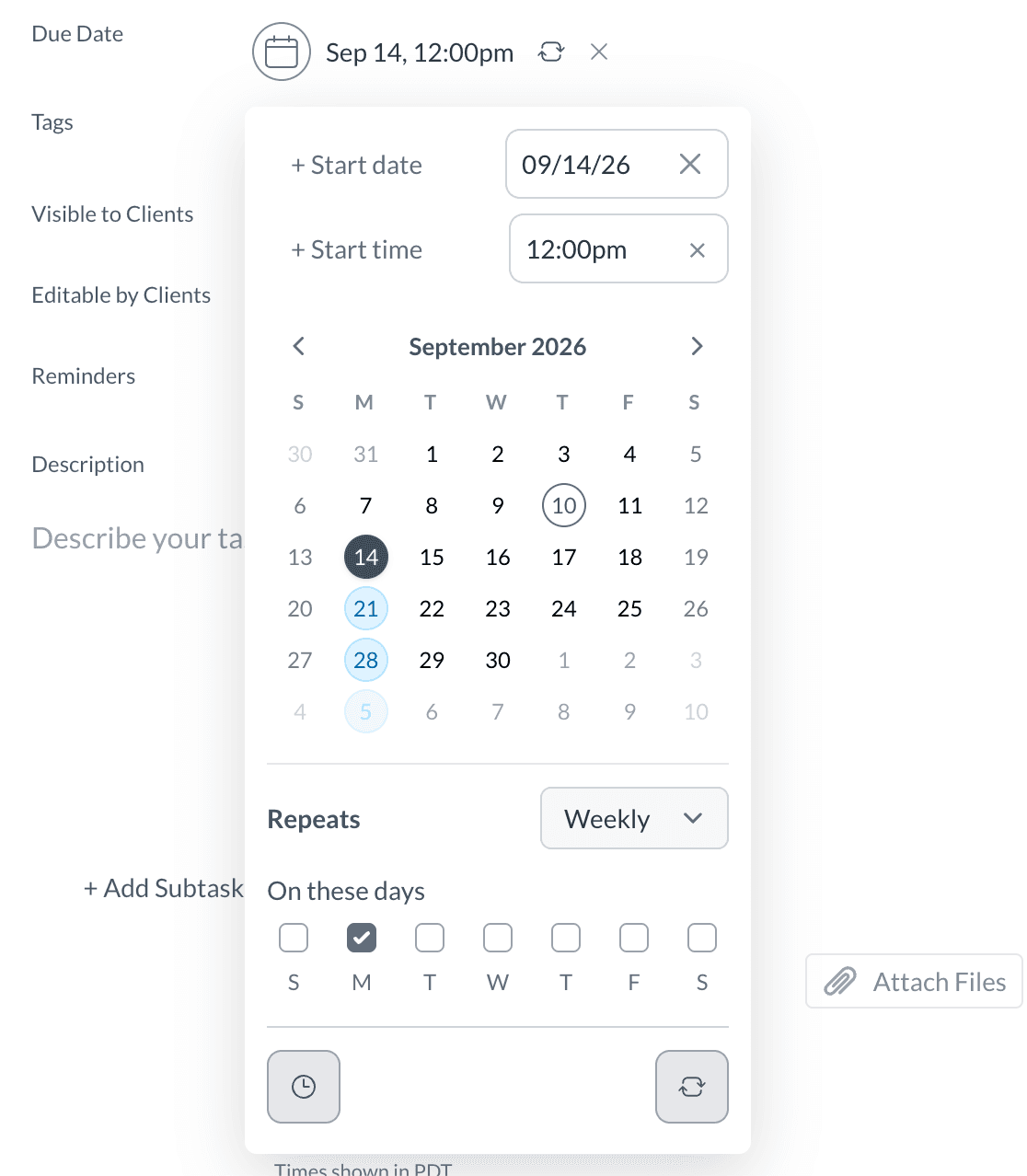
Set a task with a due date to repeat daily, weekly, every two weeks, monthly, or yearly. When you complete it, Sydnee creates the next task.
- Repeat daily, weekly, biweekly, monthly, or yearly
- Due-date email reminders for the task assignee
- Choose when to remind the assignee before the due date
- Auto-creates the next occurrence on completion
Keep Files and Conversation With the Work
Keep the description, comments, activity, collaborators, and supporting files with the task instead of splitting the conversation across separate tools.
- Comment, @mention participants, and review task activity
- Add collaborators to keep them involved in task updates
- Upload, preview, and download task attachments
- Keep a separate copy of an attachment in account Files
- Share internal or client-safe task links when available
Assign, Prioritize, Tag, and Filter
Assign work to a team member or portal user, set priority and tags, then filter and search to stay on top of what matters across the account.
- Assign to team members or portal users on the account
- Priority levels: Urgent, High, Normal, and Low
- Up to 10 tags per task. Clients can use tags on editable tasks
- Search task titles
- Filter by completion, assignee, due date, priority, tags, task type, service, attachments, or comments
- Due dates with multiple reminder offsets per task
Reuse Your Task Setup
Save repeatable task structures with sections, tasks, subtasks, relative due dates, visibility settings, and supported attachments, then adapt them for the next client account.
- Save entire task hierarchies as templates
- Insert with sections intact or merge tasks into one section
- Relative due dates carry over on insertion
- AI builder generates an editable draft from a description
- Version history lets you restore an earlier template
Control What Clients Can See
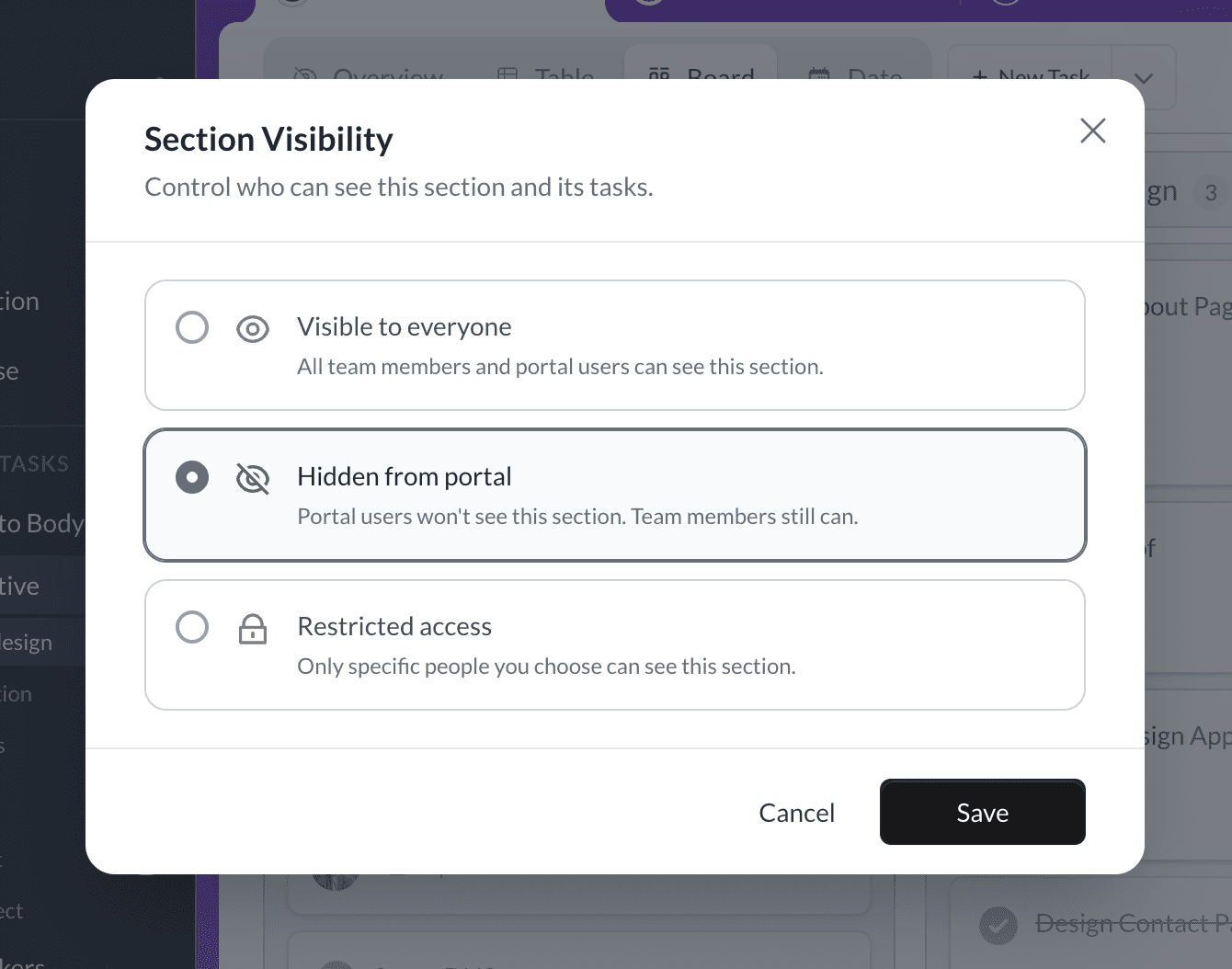
Use board, section, and task settings to control what clients can see and change. Keep internal work private, share read-only context, or let permitted clients update collaborative tasks.
- Set client access at the board, section, and task level
- Read-only clients can still comment on visible tasks
- Combine visibility and editability for the client experience you want
Bulk Actions and Archive
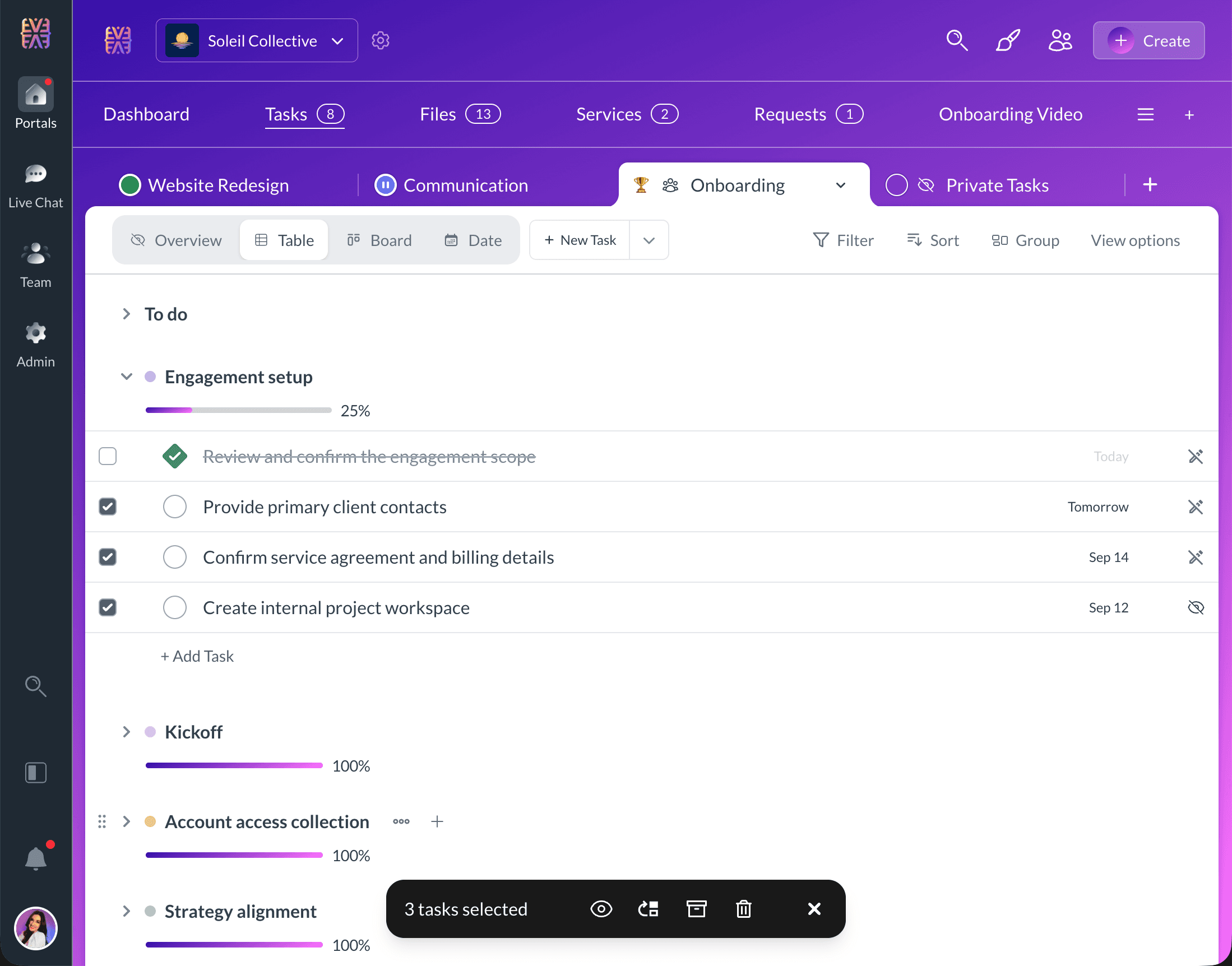
Select multiple tasks and move, archive, delete, or change client access in one step. Keep the board clean by archiving completed work and restoring it when needed.
- Multi-select tasks across sections
- Move to a section or change client visibility and edit access
- Archive finished tasks and restore them when needed
- Complete, reopen, or duplicate individual tasks
FAQ
Each account task board can include Overview, Table, Board, and Date. Date is the task calendar, with Month, Week, Day, and Agenda layouts. Team members with board-management access can add, remove, and reorder views, choose the default view, and control which views clients can see.
Explore More Features
Discover other powerful tools included in Sydnee Client Portals


Try Sydnee Client Portals Today
Choose the right Sydnee plan for you
Compare Core, Growth, and Power Team pricing, then start free before you commit.
Sydnee turned our onboarding into a simple, repeatable process that just works.
 Patrick BenskeBenske Agency, Founder
Whether you're tech savvy or not, this is gonna work for you, and it's so simple, anyone can use it.
 Steven DiamondDiamond Ai Media Group, Founder
Between the white-labeling, templates, and client collaboration, Sydnee covers everything we used to patch together across other tools.
 Carmelo SantosCo-found Council of Marketers
It's so nice to have everything in one place—clients can see our progress, and we can see every task at a glance
 Michael RapinoHoneyQuill Agency, Founder
Sydnee has been the best investment I've made for my agency thus far. There is not better platform with the features included for the price point they are at.
 Luis LeonPromise Pixel, Founder
Sydnee offers our Clients a clean simple platform that is easy to understand and navigate.
 Laura McDermott, OwnerMcdermott Law Firm, PLLC