

You sign a new Google Ads client. They need conversion tracking fixed, landing pages reviewed, and ad accounts cleaned up. None of that work can start until your team gets access to the right tools.
So you send the usual onboarding form.
It asks for their website URL, ad account ID, business info, brand assets, analytics access, and a long block of instructions for every possible setup. WordPress clients see Squarespace steps. Squarespace clients see WordPress steps. Shopify clients scroll through both and still email back asking what they are actually supposed to do.
That is where follow-up work gets created.
The client is not the problem. The form asks everyone the same questions when the intake process should adapt to the answers already provided.
The problem is usually the form
Most intake friction comes from one bad assumption: if a form is comprehensive, it must be good.
Usually the opposite is true.
Irrelevant questions force clients to interpret your internal process before they can respond. A useful form shows the next relevant step and keeps unrelated branches out of view.
In user experience (UX) design, this is progressive disclosure: keep complexity hidden until it is needed. A client should not have to parse your internal process map to give you access to their website.
Microsoft documents branching in forms as a way to send respondents to the next relevant question. The same principle works for client intake: reveal a branch only when an earlier answer makes it relevant.
If your form still behaves like a static checklist, your team ends up doing the branching manually in email.
Build intake in three layers
If you want fewer onboarding delays and fewer clarification emails, build your intake around three layers.
1. Start with one front door
Every client should enter through the same request workflow.
That does not mean every client sees the same form. It means your team has one structured request, one response record, and one place to see what is still missing.
This is the part most teams get right first. They move intake out of email and into a proper request flow. If you have not done that yet, start with the basics in How to Organize Client Requests Without Losing Your Mind.
2. Let follow-up questions branch
This is the layer most forms are missing.
Once a client gives you an answer, the form should respond to it.
If they say their site is on WordPress, show WordPress instructions.
If they say Squarespace, hide the WordPress steps and show the Squarespace ones.
If they say they already granted access, move them forward.
If they say they need help, show the next question that tells your team exactly where they got stuck.
Conditional Requests keep the underlying process detailed while showing each client only the relevant path.
3. Keep the next step inside the Request
A lot of firms build a form that collects answers, then rely on email for instructions.
That breaks the flow immediately.
Keep instructions, confirmations, and file uploads inside the same Request. The client can complete the intake without reconstructing the process from a form, inbox, and shared document.
When intake is structured this way, your team is no longer translating scattered answers back into a workflow. The workflow is already there.
Build a conditional agency intake Request
Say you run a digital marketing agency onboarding multiple Google Ads clients every month.
You create a request in Sydnee Requests that starts with a few universal questions:
- Company name
- Primary website URL
- Google Ads account ID
- What website platform do you use?
That fourth question changes everything.
If the client selects WordPress, the request can immediately show a section with WordPress-specific instructions:
- Invite our team member to WordPress
- Assign the Admin role
- Confirm once it is done
- Tell us if you need help
If the client selects Squarespace, they see a different section instead:
- Open Settings and Permissions
- Invite our team member
- Confirm the correct permission level
- Tell us if you need help
Same request. Different path.
You can go further.
If the client answers No, I need help, the request can show a follow-up field asking what blocked them. If they answer Yes, it is done, that follow-up never appears. If you need them to upload a screenshot or supporting file, that upload field can appear only when it is relevant.
This is the kind of thing static forms handle badly. Your team either over-explains everything upfront or cleans up confusion later.
With conditional requests, the form does the sorting for you.
Reduce ambiguity before work begins
Intake slows down when each ambiguous instruction creates another clarification:
- Which website builder do you use?
- Which login should I use?
- Do you need editor or administrator access?
- Where should I upload the screenshot?
Conditional Requests reduce the number of questions your team must answer outside the intake workflow.
They also make templates more useful. A good onboarding process should not live in someone on your team's head. It should live in a repeatable workflow your team can reuse. That is where a request template library starts to pay off. Build the structure once, then reuse it across every new client instead of rebuilding the same intake from scratch.
Because the Request lives in the portal, uploaded files remain connected to the account's Files system. Live Chat can handle clarification, although chat messages do not become Request responses automatically.
How Sydnee Requests support the workflow
Sydnee Requests can respond to earlier answers with conditional visibility, including rules that show or hide individual fields or entire sections. Multiple conditions can use AND or OR logic.
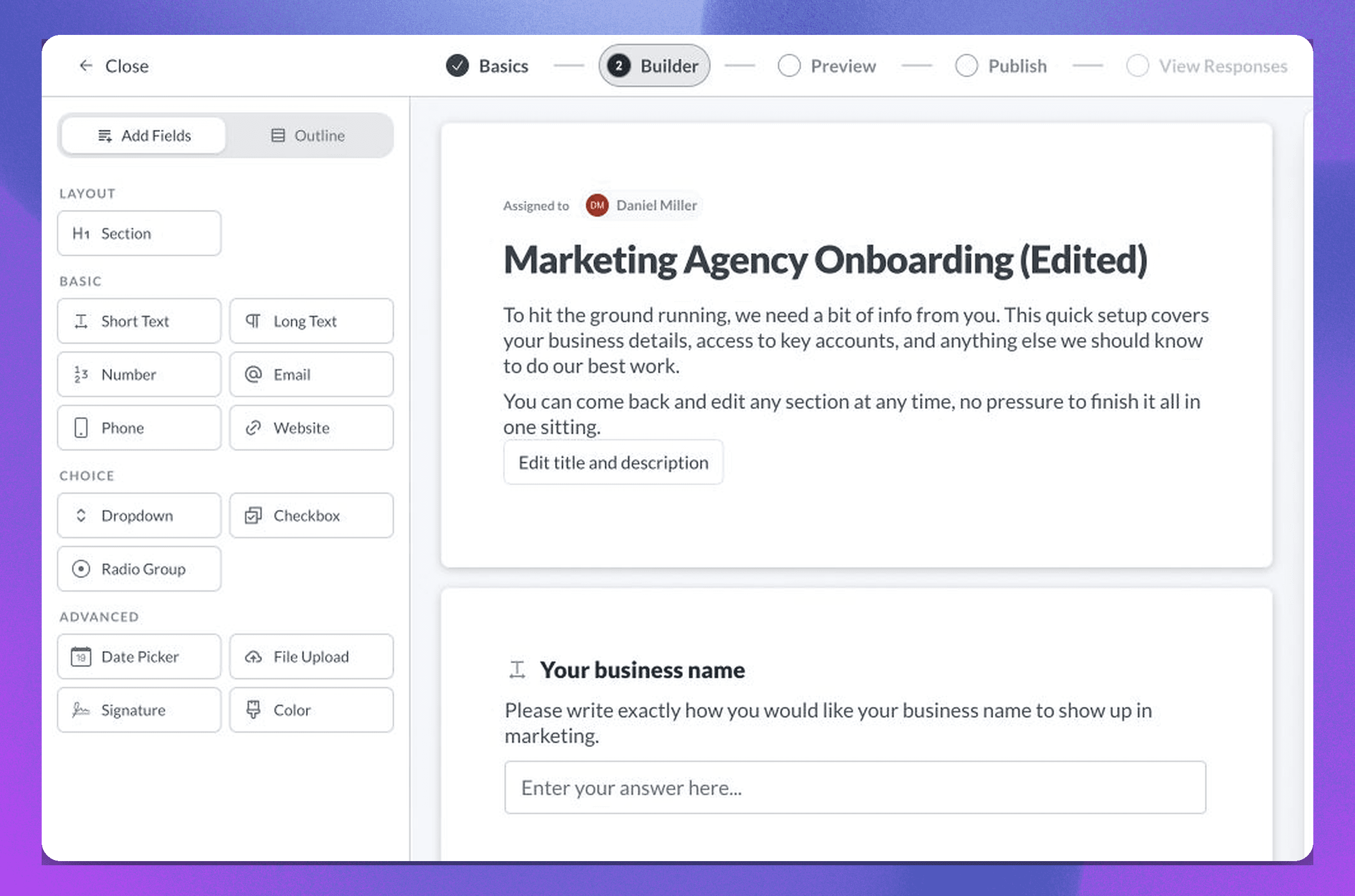
That means:
- Clients only see the questions and instructions that apply to them
- Hidden fields do not inflate completion requirements
- One request template can support multiple client scenarios cleanly
- Your team can see visible-field progress and which required answers remain
Requests can also collect files and signature responses, assign a Request to selected portal members, publish it now or later, and schedule supported reminders around a due date. A signature field is not a legal e-signature workflow, and completing a Request does not automatically create a Task or Deliverable.
Avoid these intake mistakes
Mistake 1: Turning one form into a knowledge dump. If a client has to read instructions for WordPress, Squarespace, Shopify, and Webflow to find the three lines that matter, the form is doing too much at once.
Mistake 2: Using email to handle the branches. If the real logic of the process only appears after someone replies to the form, your intake system is still manual.
Mistake 3: Rebuilding the same onboarding flow for every new client. If your team repeatedly writes the same instructions and asks the same follow-up questions, the process belongs in a reusable template, not in memory.
Use one relevant path per client
Better intake forms do three things well:
- One structured entry point for the intake
- Conditional paths based on earlier answers
- Instructions and uploads kept with the Request
Conditional logic should remove irrelevant steps, not turn the form into a hidden workflow engine. Build the smallest Request that collects what the next stage of work needs.
Explore Sydnee Requests to see the client and team experience, then use the Request field guide and conditions guide for the current field, conditional-logic, upload, and signature behavior.







