

This week was all about making Sydnee easier to connect to the rest of your business.
You can now start Zaps from more activity across Sydnee, send selected events to your own systems with custom webhooks, and manage a team member's client account access from one place.
Start Zaps from more Sydnee activity
The Sydnee app for Zapier now has 15 triggers covering the moments that can start an automated workflow.
You can begin a Zap when an account changes, a client completes a Request field, a task or file receives a comment, a file is uploaded, a Deliverable changes, a service request arrives, a Task Board update is posted, or a client sends a Live Chat message.
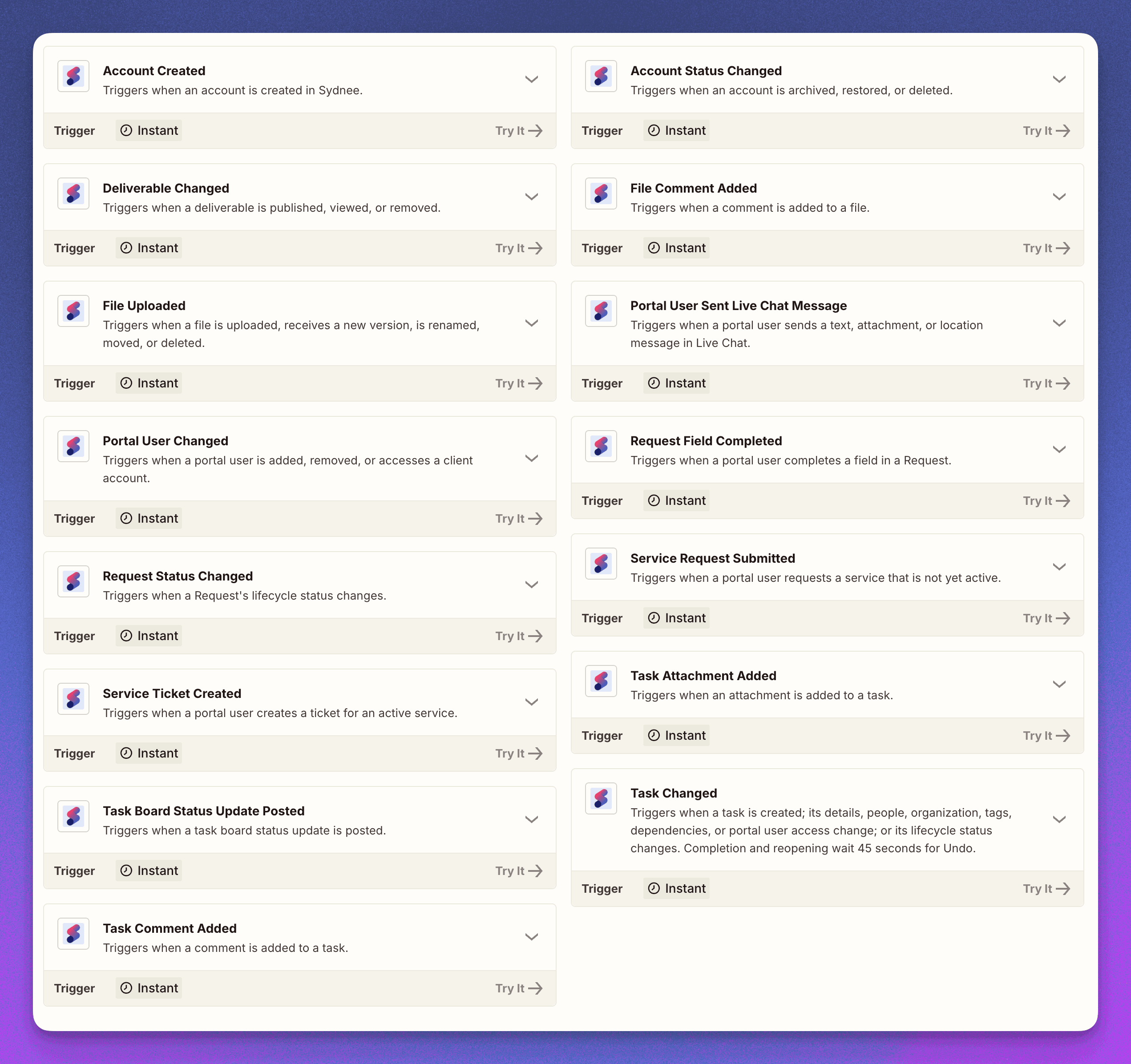
Supported triggers can watch every client account or one selected account. You can also choose whether the destination app should receive authored text or a portal user's email address when that information is useful for the workflow.
Existing Zaps can keep using their current steps. When you build a new Zap, the updated trigger list gives you more precise starting points.
Choose accounts and templates by name
Zapier setup is also easier to navigate. Supported actions can now load your current client accounts, portal users, Request templates, and task templates into searchable fields.
That means you can choose Northwind Design from a list instead of finding and pasting its Sydnee account ID. The Zap still stores the correct ID behind the scenes, but you get to work with names you recognize.
Send Sydnee events to your own systems
Custom outbound webhooks give developers and operations teams a direct way to connect Sydnee to an internal tool, data pipeline, or custom workflow.
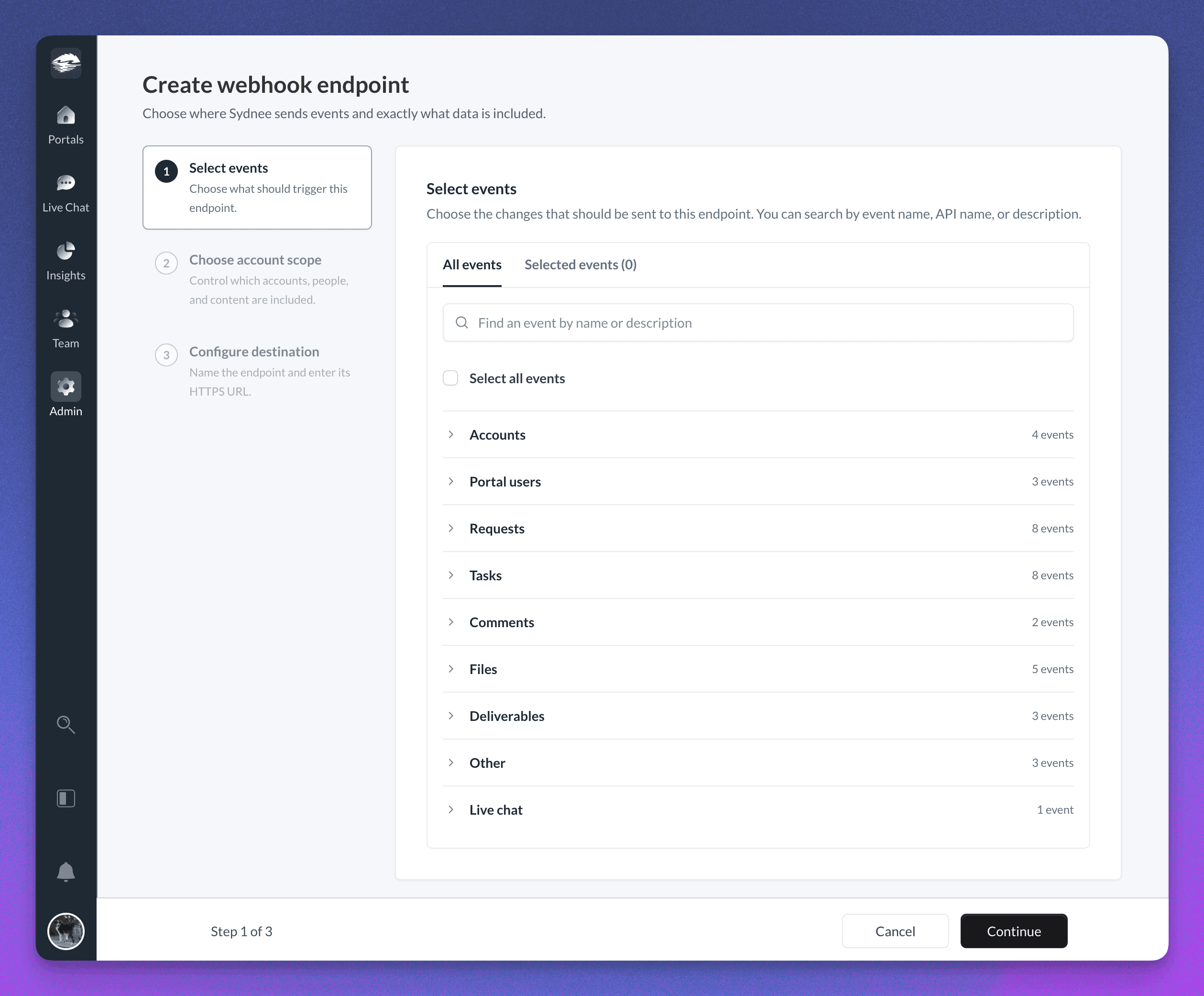
For each endpoint, you choose:
- The Sydnee events that should be sent
- Every client account or a selected group of accounts
- Activity from everyone, team members only, or portal users only
- Whether to include authored text and portal user email addresses
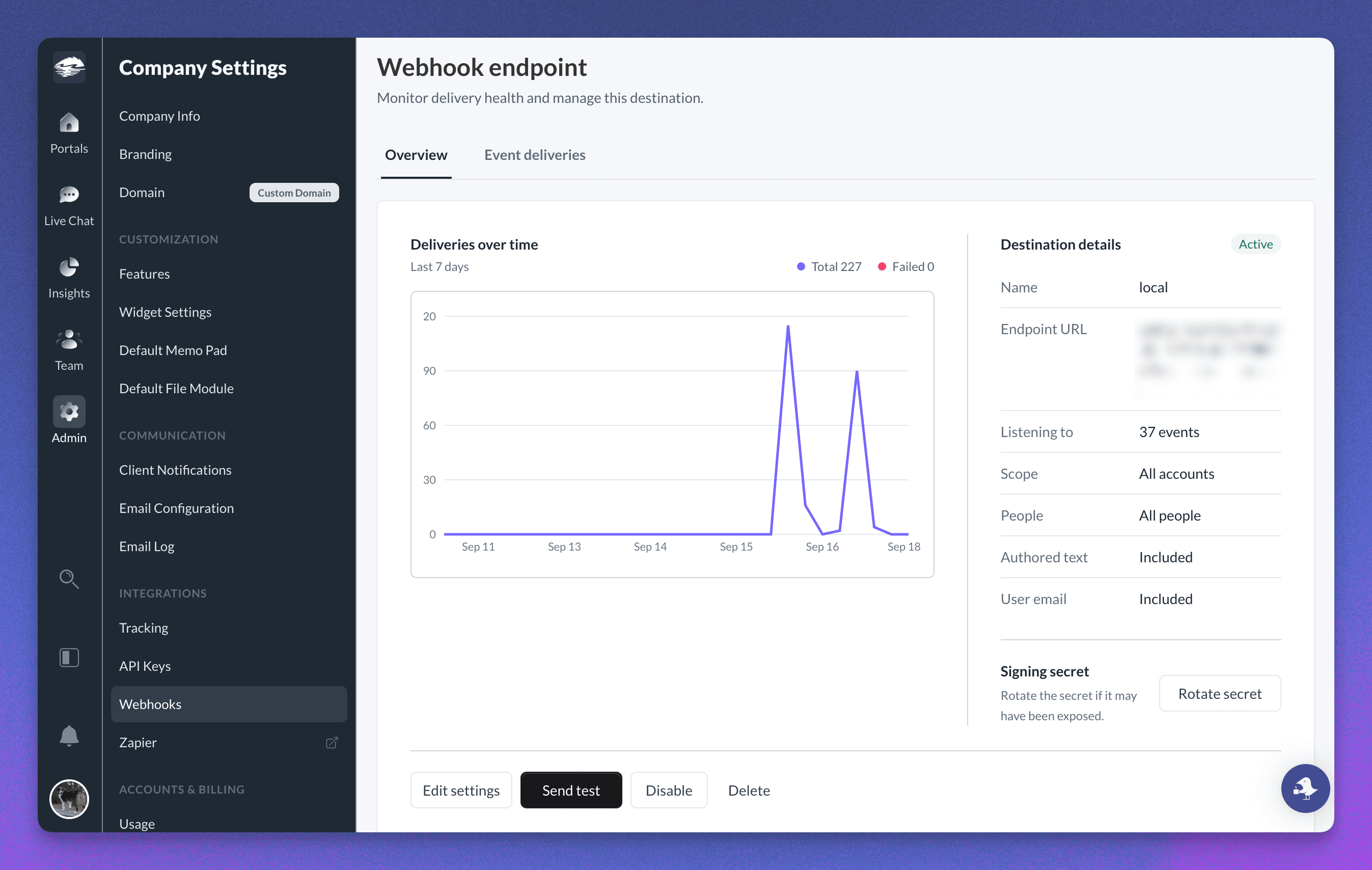
Sydnee signs each delivery so your endpoint can verify where it came from. The new endpoint workspace also lets you send a test, review delivery history, retry a failed delivery, and rotate the signing secret when needed.
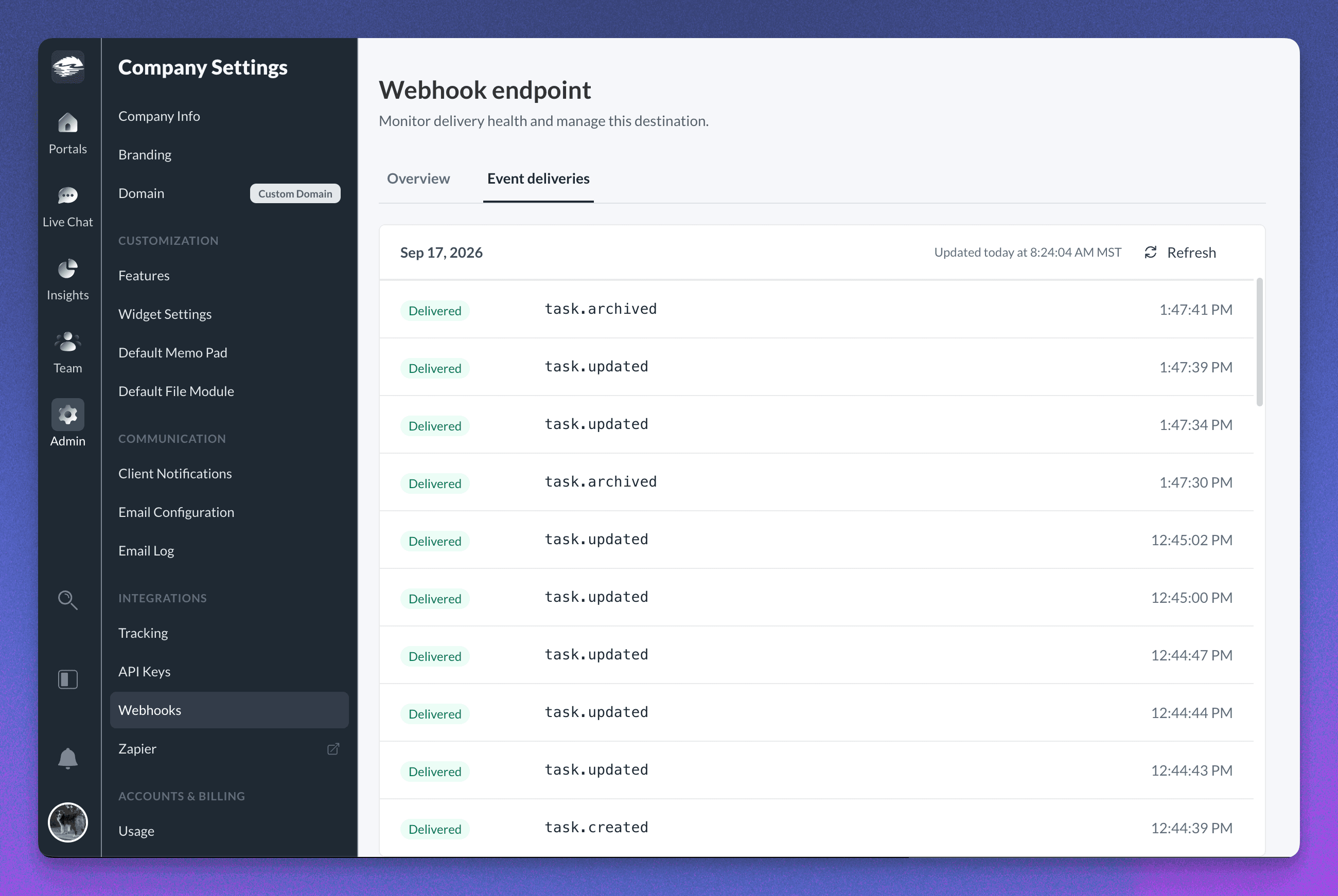
Learn how Sydnee webhook events and deliveries work.
Manage a team member's account access in one place
Owners and admins can now open a current team member or pending invitation in Company Settings → Team and manage the client accounts that person can access.
You can grant access to specific accounts, review the current assignments, and remove access without opening each client account separately. You can also choose the right accounts while an invitation is still pending, so the new team member starts with the access they need.
Team sign-ins are better protected
We updated how browser sessions protect your team's sign-in. Sydnee now keeps the random sign-in key in a protected browser cookie that page scripts cannot read.
Team members can review and end active sessions from Personal Settings → Security.
Learn how Sydnee protects your client work.
Videos now have thumbnails
Videos in Sydnee now show a thumbnail from the video instead of a generic video icon. This makes it easier to recognize the right clip before opening it.
You’ll see these thumbnails across Files, search, dashboard file widgets, file versions, and Deliverables. If a thumbnail cannot be created, Sydnee shows the normal video icon instead.
A smoother AI task-template builder
The AI task-template builder now keeps generation progress in view while sections and tasks appear. You can scroll back to review earlier work without the page pulling you away, then continue editing the draft before you use it in a client account.
We also added clearer empty states across Files, Request templates, search, and dashboard updates, making it easier to see what to do next when a workspace is new or a filter has no matches.
This release gives you more ways to connect Sydnee without making everyday setup more technical. Use Zapier when a listed trigger or action fits the job, or use webhooks when your own system needs a direct stream of selected Sydnee events.







