

This week brings one of our biggest dashboard updates yet, a new way to present finished work to clients, and several improvements that make Sydnee faster and more reliable across desktop and mobile.
The New Dashboard Is Now the Default
The goal of the new dashboard is simple: help you understand the health of your business the moment you log in.
Instead of digging through requests, tasks, and files, Sydnee now brings the most important information to you automatically.
Attention Needed
One of the biggest additions is the new Attention Needed widget.
It only appears when something actually needs your attention, including:
- Overdue client requests
- Tasks assigned to you that are overdue
- Client tasks that are overdue
When everything is on track, the widget disappears completely.
Customize Your Dashboard
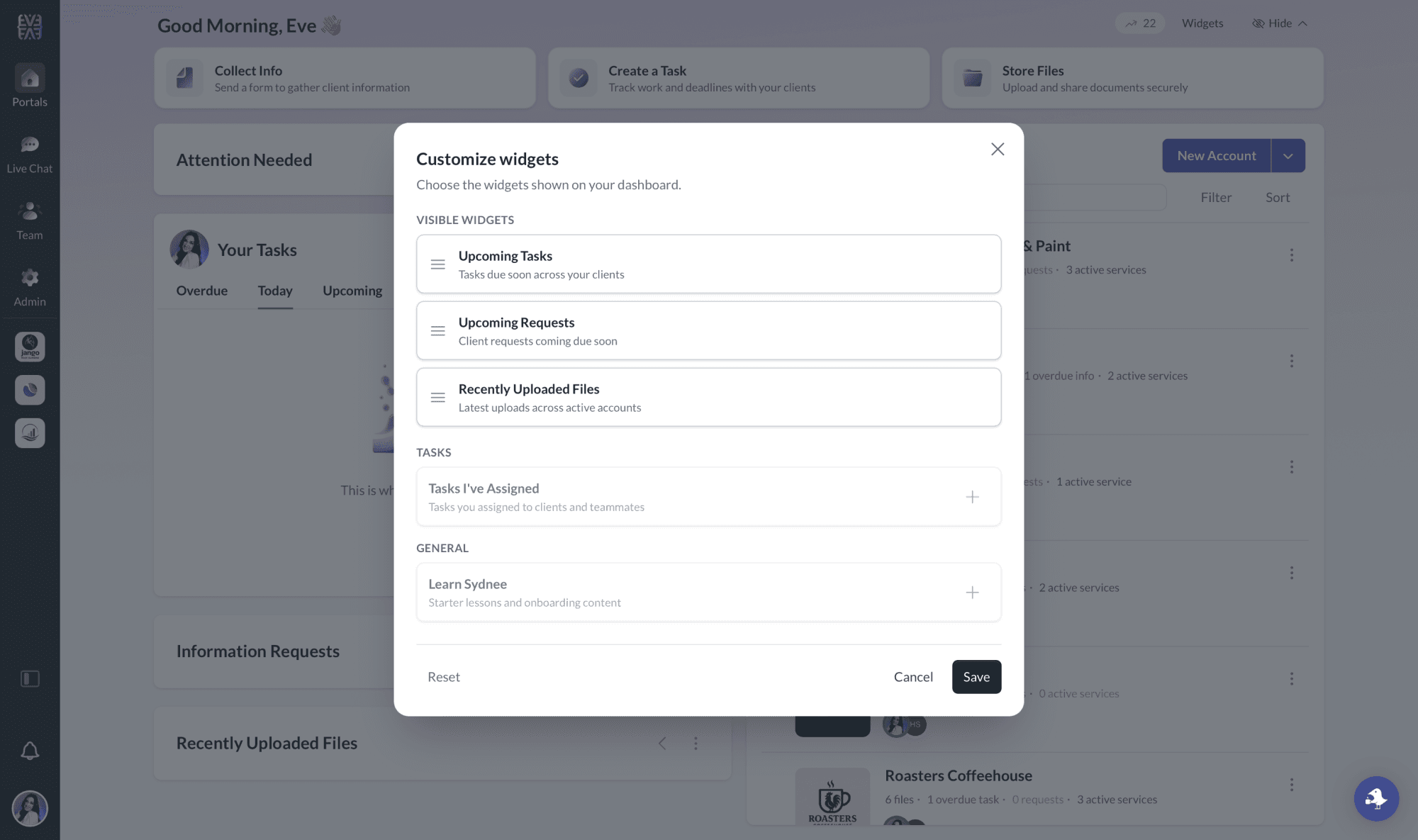
The dashboard is also fully customizable.
Click Widgets in the top-right corner to:
- Reorder your widgets
- Hide widgets you don’t use
- Enable additional widgets whenever you want
Choose from widgets for upcoming tasks, tasks you’ve assigned, upcoming requests, recently uploaded files, and more. The goal is to make it easy to see what’s happening across your business and what’s coming up next.
Deliverables Are Now Available for Everyone
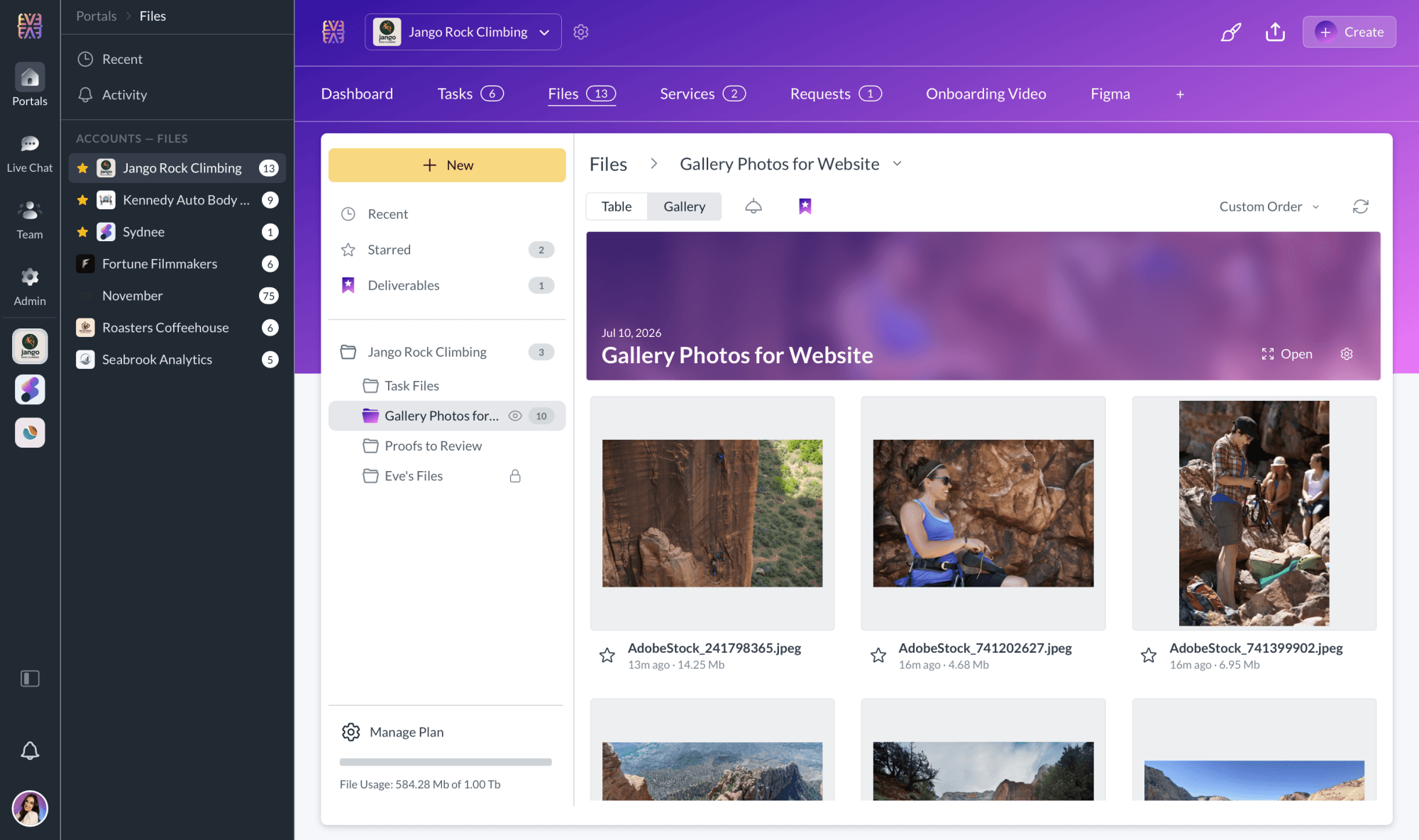
Deliverables give you a polished way to present completed work to your clients.
You can turn a folder of client-ready files into a clean, view-only experience with its own client-facing title. New Deliverables are highlighted in the client portal, and clients can review or download their files from a focused full-screen viewer.
Your team can also share Deliverables by email and track which clients have viewed them.
Learn how to create and share Deliverables.
A More Flexible Workspace
The collapsible sidebar is now available for everyone.
Click the collapse icon just above the notifications bell in the far-left sidebar to temporarily hide the second column and give yourself more room to work.
We’ve also rolled out refreshed icons throughout Sydnee, bringing a cleaner and more consistent look to the platform.
Bug Fixes and Improvements
This week also included several performance improvements, reliability updates, and quality-of-life fixes:
- Improved performance across the Sydnee desktop experience
- Improved performance across Sydnee on mobile devices
- Login-code emails now return clients to the page they were originally trying to access, even when they open the email on a different computer
- The Share button in portal headers now generates the correct client URL while navigating through Files
- Fixed an issue that could cause the embed editor to close while navigating
- Fixed an issue where the branding editor’s warning dialog was not responsive
- Updated portal navigation to be more reliable
- Improved the styling and opening animation of the portal navigation overflow menu
- Long task activity histories now collapse automatically, making the activity panel easier to scan
As always, thank you for your feedback and for helping us continue to improve Sydnee every week.







