

This week brings the biggest Tasks update we’ve shipped yet.
We’ve introduced multiple task boards, redesigned My Tasks, added an entirely new Calendar experience, and improved how teams communicate progress with clients.
Requests and menus across Sydnee also received a substantial visual refresh, and our new Docs library is ready to help you explore everything that changed.
Multiple Task Boards Per Account Are Here
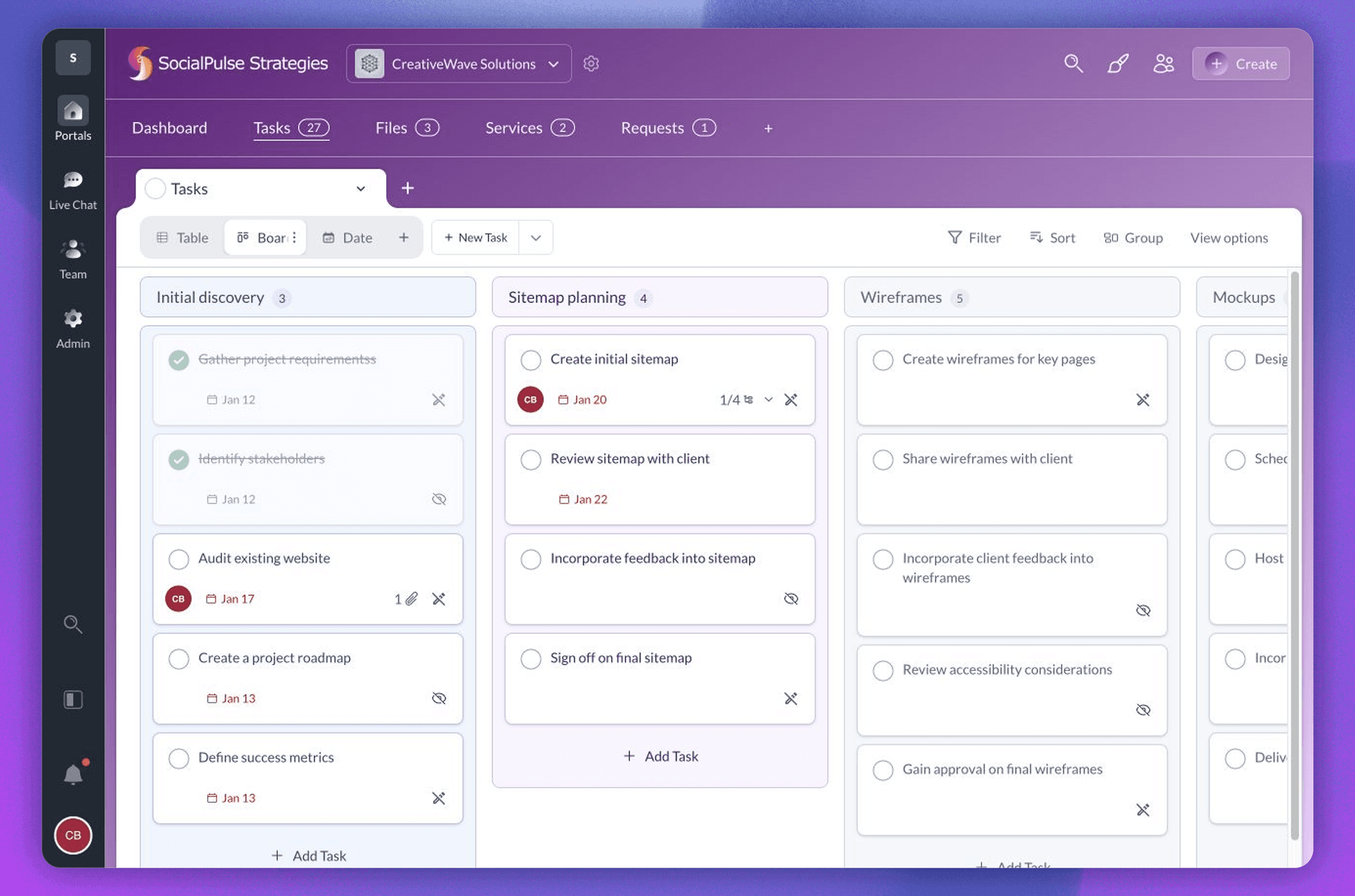
An account’s work no longer needs to live on one crowded task board.
You can now create separate boards for different streams of client work—such as a website launch, monthly service, or standalone project – while keeping everything inside the same client account.
Each board can have its own sections, views, filters, tags, client access settings, and default layout. Boards can also be reordered, duplicated, archived, restored, or selected as the account’s default board.
Every board can include an Overview where your team can explain its goal, highlight milestones, and post status updates using On Track, At Risk, Off Track, On Hold, Complete, or Dropped.
Updates can include what changed, what comes next, and alerts for selected team members or clients. Overview can also be shared with clients or kept team-only without hiding the rest of the board.
Learn how to create and manage task boards.
A Completely New My Tasks Experience
My Tasks has been redesigned to give you one home for work across Sydnee.
The new layout includes:
- All My Tasks for assigned and private work
- Private Tasks for personal work not connected to a client
- Assigned to me for shared client work you own
- Recently completed for work you just finished
You can switch between Table and Calendar views, filter by account, change sorting, and choose which information appears in your table.
Each area remembers its own setup, and we made significant performance improvements to tab switching, task loading, and larger task lists.
Learn your way around My Tasks and Task Center.
Task Calendars Are Here
Calendar is an entirely new way to plan and review Tasks in Sydnee.
Every task board can now include a Date view with Month, Week, Day, and Agenda layouts. Open a task directly from the calendar or move eligible work to a new date without leaving the view.
My Tasks also includes a Calendar, bringing your scheduled work from across client accounts into one personal view.
Use a board calendar to plan one client project. Use the My Tasks calendar to see everything coming up for you across Sydnee.
Repeating tasks appear on the calendar while keeping their recurrence rules, and mobile users get a focused agenda for reviewing the days ahead.
Learn how to use the new Task Calendar.
More Ways to Organize Work
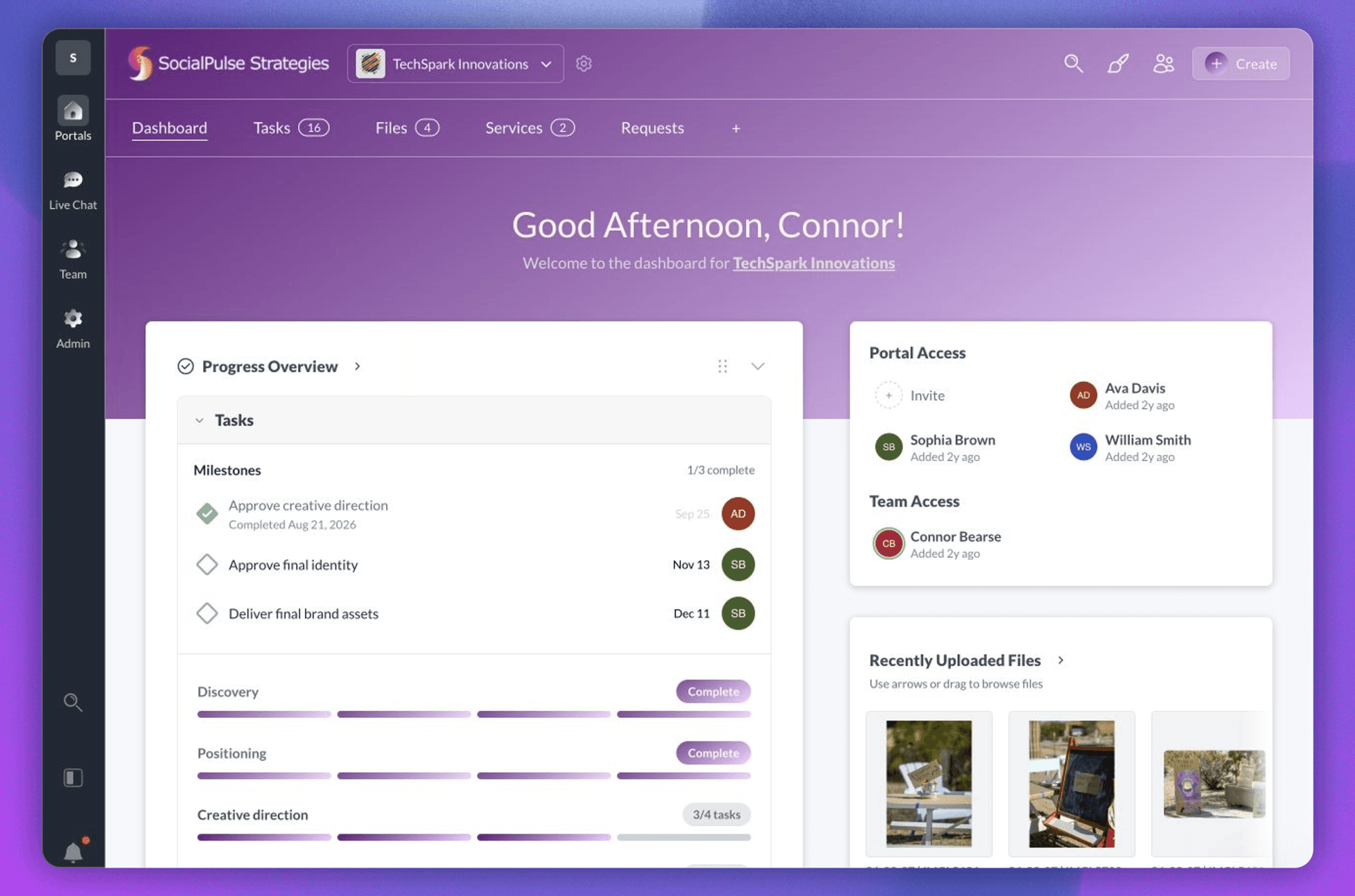
Tasks now include several additional ways to keep work clear:
- Milestones for approvals, launches, and other important checkpoints
- Dependencies for work that must be completed in a particular order
- Tags for organizing tasks across a board
- More flexible filtering, grouping, sorting, and bulk actions
- Timeline and Files views where available
Clients can see when an available task is blocked without being shown the names of private tasks.
Board, section, and task-level access settings also give your team more control over what each client can see or edit.
Learn about milestones, subtasks, and dependencies.
A Cleaner Requests Experience
Requests received a substantial visual and usability update this week.
We improved the Requests dashboard, request cards, template selection, client-access settings, publishing flow, archived-request navigation, and action menus.
Completed requests now have a clear finished state with a direct path to review the submitted responses, instead of sending you back into an editing workflow that no longer applies.
Learn how to collect client information with Requests.
Cleaner Menus Across Sydnee
We also refreshed dropdown menus, selectors, filters, and action controls throughout Sydnee.
This work touches Tasks, Requests, templates, Board Health, archives, account selectors, sharing controls, and member management.
Menus now have more consistent spacing, icons, positioning, selected states, and mobile behavior. We also improved how nearby menus interact, preventing overlapping dropdowns and making sure opening one control closes the previous one.
They are small changes individually, but together they make Sydnee feel much more predictable.
A New Sydnee Docs Experience
We’ve also launched an entirely new Sydnee Docs library.
The new Docs are organized around real work, with guides for setting up your workspace, managing Tasks, collecting client information, sharing files, using Live Chat, and configuring your portal.
You can browse the complete Sydnee Docs library or start with the guide to manage client work with Tasks.
This release touched nearly every part of Tasks while bringing another round of improvements to Requests and the wider Sydnee experience.
As always, thank you to everyone sending feedback, reporting issues, and helping us shape Sydnee. Many of these improvements came directly from conversations with customers, and we’re excited to see how you use them.







