

If you’re tired of rebuilding the same onboarding checklist, project flow, or service task list over and over again—you’re going to love this.
Our newest feature, Task Templates, lets you instantly insert pre-built task lists into any client portal account.
Whether you’re standardizing internal processes or streamlining how you deliver services, this feature is all about saving time, reducing errors, and scaling your operations.
What Are Task Templates?
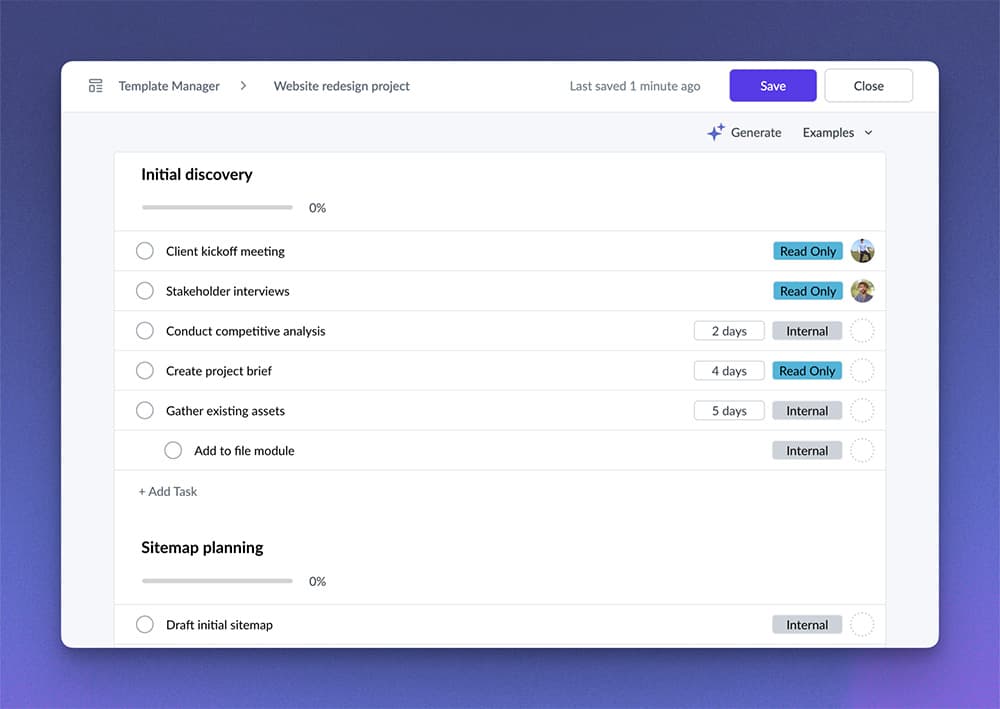
Task Templates in Sydnee let you save and reuse common task structures. They’re ideal for:
- Client onboarding workflows
- Repeatable service delivery processes
- Internal team checklists
- Project kickoffs and handoffs
Once created, a template can be inserted into any account with just a couple of clicks.
Key Features
✔ Save from anywhere
You can build templates from scratch in the template manager, or save any task list you’re already using as a template.
✔ Full section support
Templates preserve all sections, task order, due date settings, subtasks, attachments, and assignments.
✔ Flexible due dates
Set relative due dates (e.g., 3 days after insert), skip weekends, and roll dates forward/back to avoid weekends.
✔ Client visibility controls
Mark tasks as read-only for clients, or hide them entirely for internal team use. Great for managing deliverables while keeping internal workflows private.
✔ Insert anywhere
Choose where your template lands—insert it into a specific section, or recreate the full structure.
✔ Supports up to 500 tasks
Plan big. Templates can hold up to 500 tasks, with full structure and formatting retained.
✨ AI-Powered Creation
Use AI to generate templates based on your workflow or service type.
How to Use Task Templates
To create a new template:
- Go to the Template Manager
- Click “Create Template”
To save from an existing task list:
- Open any account’s task view
- Use the dropdown in the top-right
- Select “Save as Template”
To insert a template into an account:
- From any account, click “Insert Template” in the task list dropdown
- Select the template you want
- Choose where it should be inserted (single section or full structure)
Why It Matters
This update isn’t just about saving time – it’s about systematizing your client operations.
With Task Templates, you’re not just creating tasks faster.
You’re creating consistency across accounts, reducing onboarding friction, and laying the groundwork for scale.
Try It Today
You can explore templates now!
Sydnee client portals offers a 5 day free trial – so you’re clear to try this feature out yourself!
Review Task templates and repeating Tasks for the current template behavior.
Got feedback? We’d love to hear how you’re using templates or what else you’d like to see.
Just click “Provide Feedback” in the top-right of the template manager.







