

We’ve rolled out a major upgrade to the File Manager designed to give you more control, less setup time, and clearer client experiences – especially when onboarding new accounts.
🚀 What’s new
Flexible File Sorting
You now have full control over how files are ordered:
- Sort by Name or Upload Date (ascending or descending)
- Use Custom Order with drag-and-drop
- Starred files have their own dedicated order
- Recent files always show newest first
Clients always see the order you choose—and can’t change it.
Folder-Level Client Access
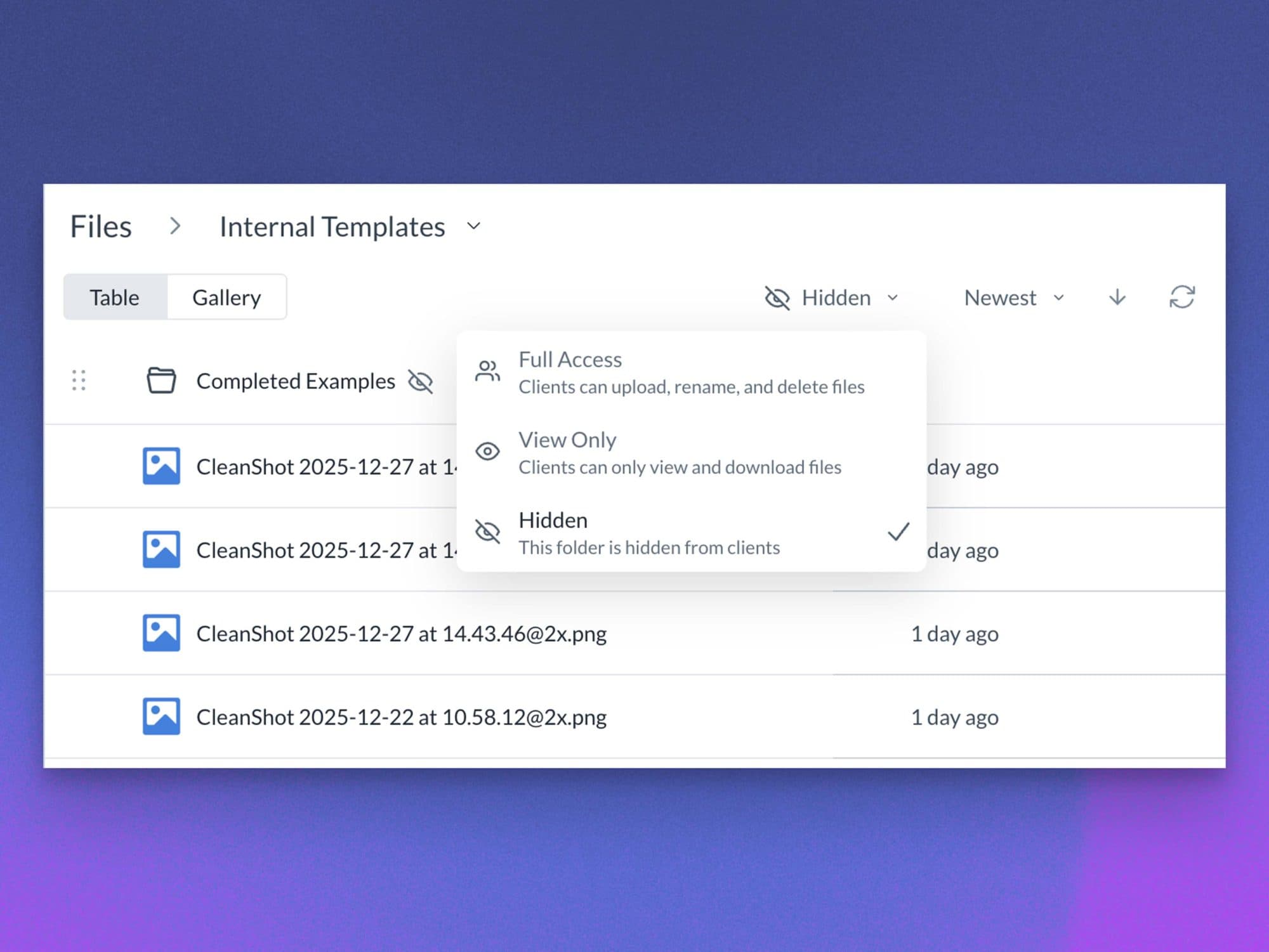
Each folder can now be configured with explicit client permissions:
- Full Access – upload, rename, delete, and create folders
- View Only – view and download files only
- Hidden – completely hidden from clients
This gives you precise control over what clients can see and interact with. Review folder access and client visibility before sharing a hierarchy.
Default File Module
You can now define a default file and folder structure that’s automatically applied to every new account you create.
Set it up once, and each new account starts with:
- Pre-built folders
- Pre-uploaded files and templates
- Your preferred order and layout
- Client access settings already in place
Perfect for standard deliverables, onboarding assets, and internal workflows.
Important to know
- The Default File Module applies only to new accounts created after it’s configured
- Existing accounts are never modified
- Hidden folders never surface files into Starred or Recent views
You can manage the new-account structure through the current modules, widgets, and defaults settings. For day-to-day organization, see upload and organize Files.
This update is all about faster onboarding, cleaner organization, and fewer client questions. As always, we’d love your feedback as you put it to use.







