

We are excited to bring you a roundup of smaller features and quality of life updates designed to enhance your experience with our platform.
These updates focus on customization, consistency, and ease of use, making it easier for you and your clients to navigate and utilize our tools more efficiently.
Let’s dive into these new features and see how they can improve your workflow.
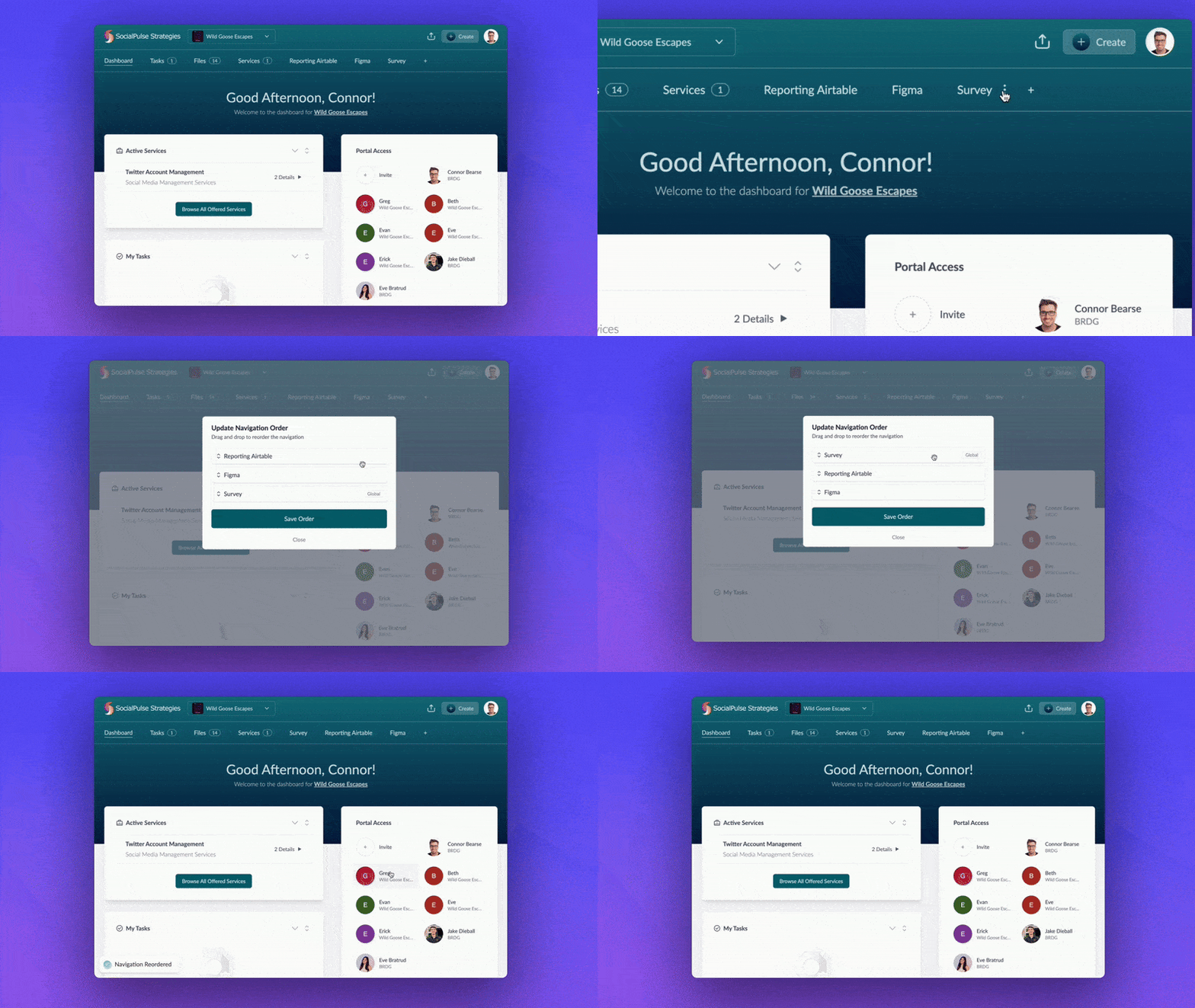
Reorder Portal Navigation & Integrations
With this update, compatible custom pages and external links can be reordered in portal navigation. Review custom portal pages, embeds, and links for the current controls and provider access boundary.
This enhancement puts you in control, allowing for a more personalized and streamlined navigation setup.
Global Tabs
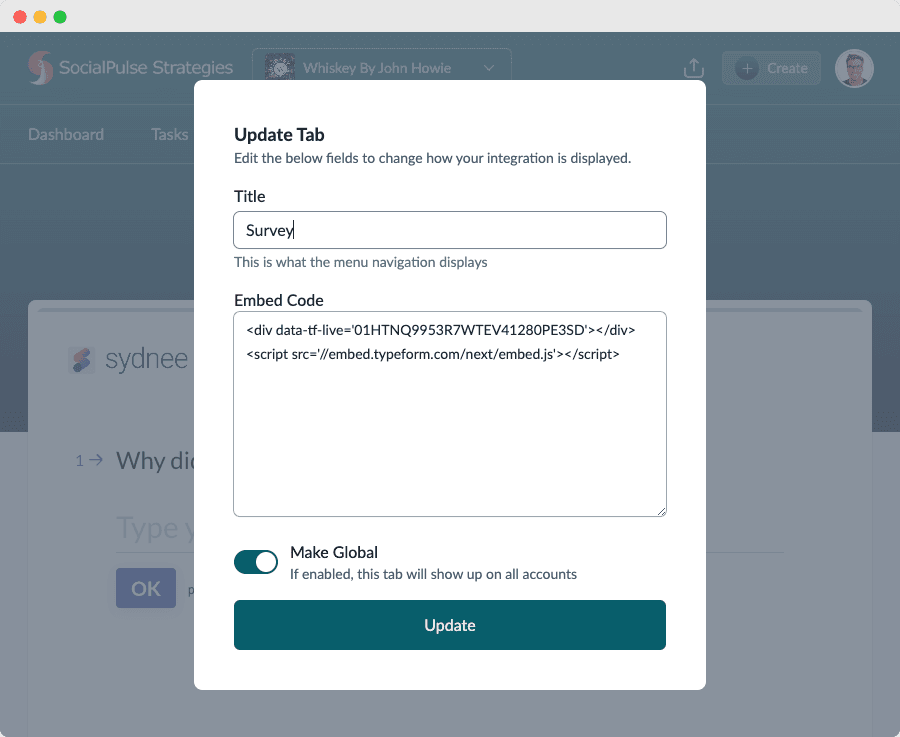
When adding a custom portal page, you can make it Global.
This means the page can appear across accounts rather than only the account where it was created. Provider permissions remain separate from Sydnee's navigation setting, so test the page with the intended client identity.
This update ensures consistency and streamlines the process, making it easier to provide uniform resources across all accounts.
Share Menu
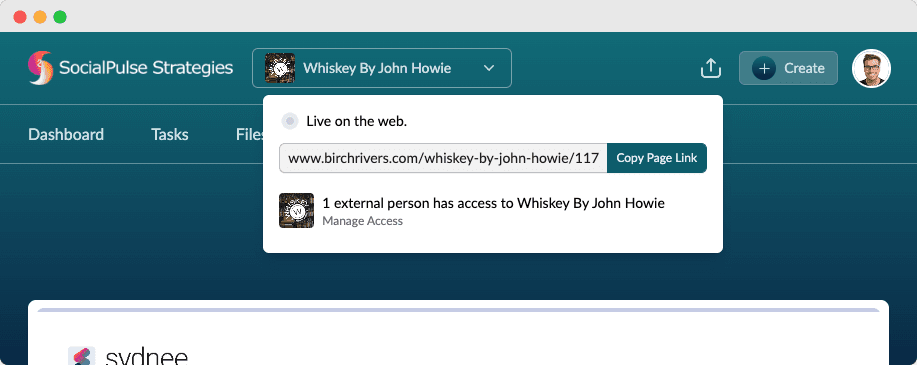
When viewing an account, click the share icon next to the Create button to open the Share Menu. This new feature provides the exact link to the current page, making it super easy to share specific account details with colleagues or clients.
The Share Menu shows how many external users have access to the page, giving you better insight and control over shared information.
This update simplifies link sharing and enhances visibility into user access, ensuring you can manage permissions efficiently and keep your data secure.
We’re Working Hard on New Features
We hope you find these updates helpful and that they enhance your overall experience with Sydnee Client Portals
Our team is continuously working hard to bring you new features and improvements. We value your feedback and would love to hear your thoughts on what you’d like to see next.
Thank you for being a part of our community!







