

In the world of client management, staying connected with your clients while promoting additional services without being annoying can be a challenge. That’s where the Service Showcase comes in.
This feature allows you to highlight the services you offer, keep clients informed about active engagements, and make upselling effortless.
What is the Service Showcase?
The Service Showcase is designed to keep clients in sync with active services while giving them a structured way to explore other offerings. Start with build your Service Showcase catalog.
Check the active services your client is paying for and leave the ones they aren’t blank. This makes it easy to stay in sync, set boundaries, and make it easy for your clients to browse your service “menu”.
Active services serve a purpose though – when they are active you can add in details like who their reporting manager is, pricing, or even a link that takes them to a reporting sheet. The active service details are presented on the dashboard right when the clients log in to their client portal.
How It Works
Using the service showcase is easy and helps you systemize your business. All services are global and the details in each are global as well. Only the values of the details are unique per client.
- Add a service once, use it everywhere – Whether it’s PPC Management, Web Development, or another service, once you add it, it’s available for all client accounts.
- Check active services for each client – This enables service-specific details. When service requests are enabled, Request Service creates follow-up work on the account's configured service request Task board, or the
Service Requestsfallback board when none is configured. - Attach service details – Add non-sensitive information such as “Monthly Ad Budget” or “Reporting Cadence” to active services. While the detail type is universal, its value is account-specific. Do not store passwords, access codes, private keys, or other secrets in service details.
All active services show up in a widget right when your client logs in. Links will be automatically shortened and become clickable.
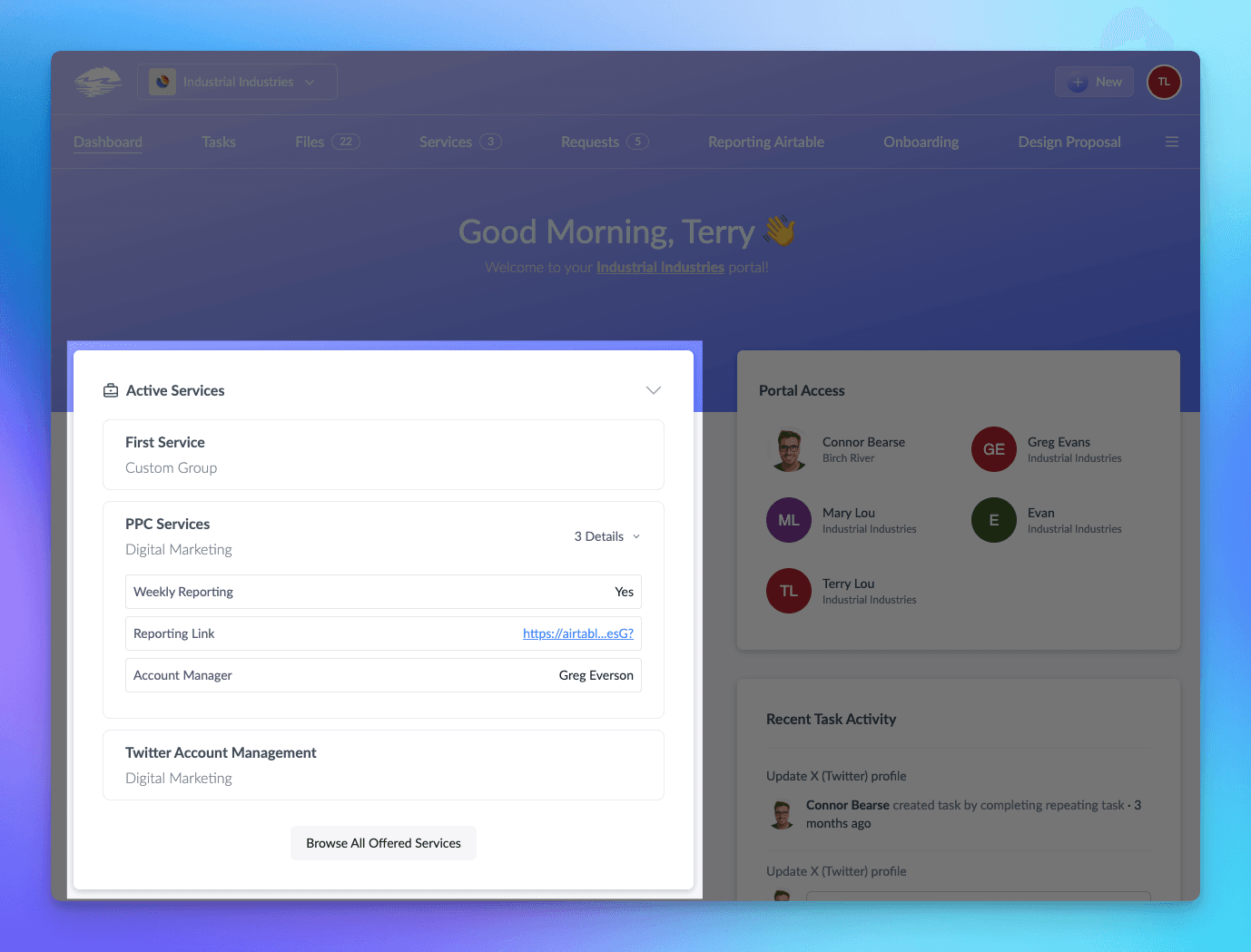
At the bottom of the widget is a button that says “Browse All Offered Services”. Clicking this will bring your client to your service showcase.
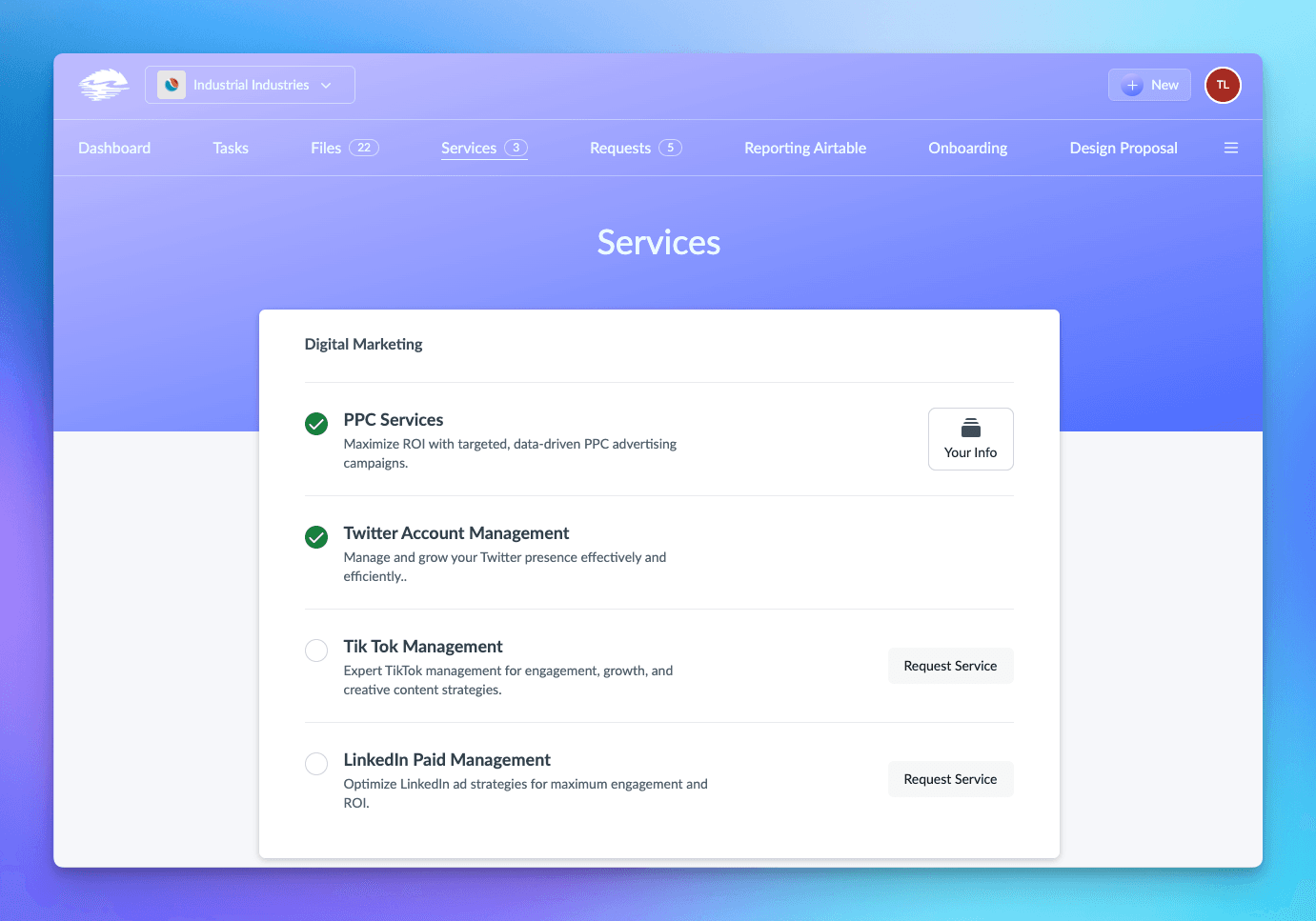
The service showcase is where your service “menu” exists. Your clients can click “Request Service” to notify you that they are interested or click “Your Info” on an active service to see the details you provided.
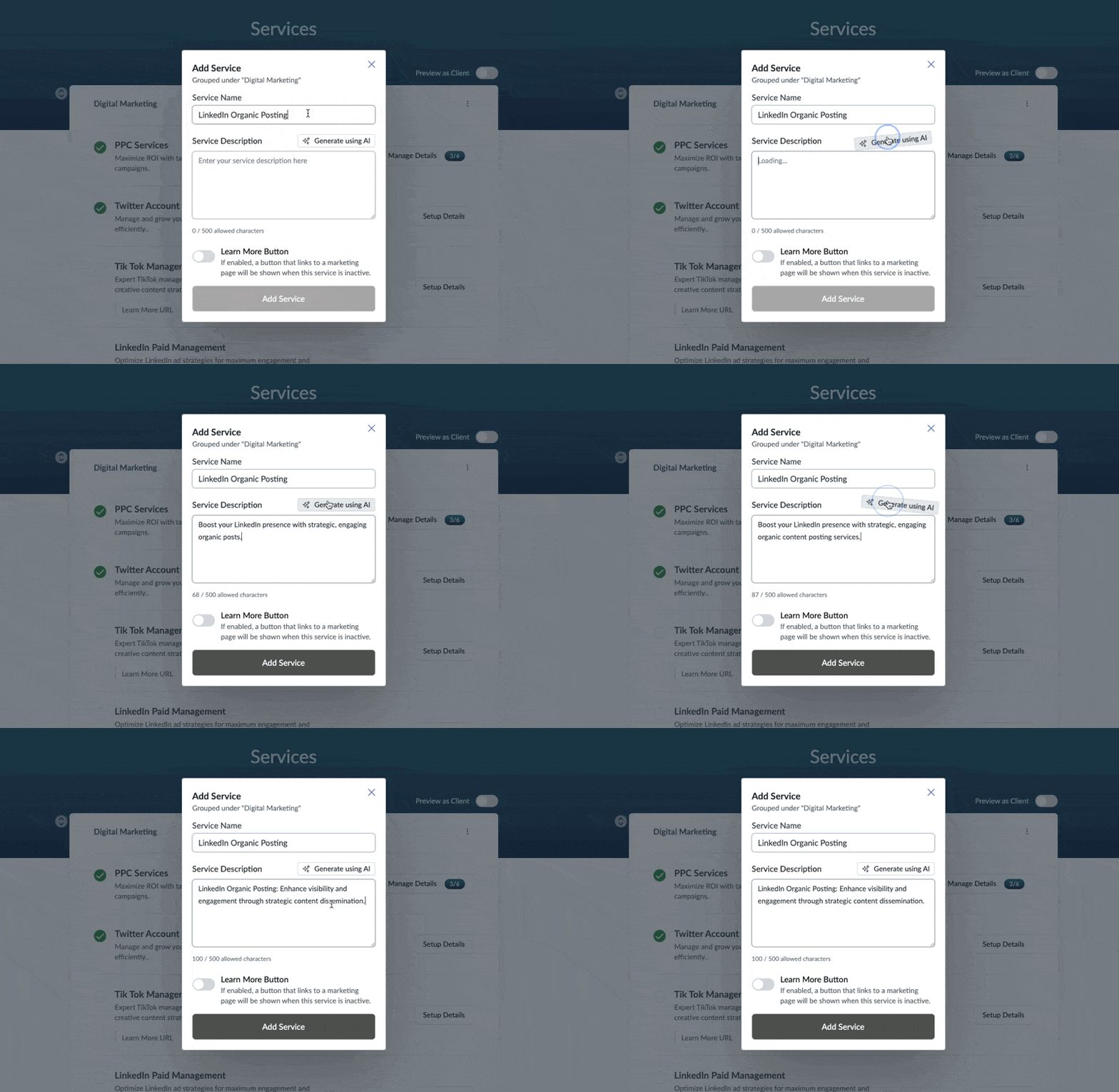
💡 Pro Tip: Having trouble coming up with great descriptions for your services? When adding a service after typing in the service name, hit the “Generate using AI” to create a first draft of a great service description for you!
Why Use the Service Showcase?
1. Increase Service Visibility
Many clients may not be fully aware of the range of services you provide. By featuring them within their dashboard, you ensure they always have a clear view of what’s available.
2. Drive Growth with Subtle Upselling
The Request Service button gives clients a structured way to inquire about an additional service. Review Submit Ticket and Request Service for the current Task and notification behavior.
3. Streamline Communication
Rather than responding to scattered client requests for service details, you can centralize key information within the dashboard. Clients can easily find what they need without needing to reach out.
4. Enhance Professionalism & Client Experience
A well-organized service showcase helps clients understand the relationship. Use it to share appropriate links, resources, and non-sensitive account details.
Where Do Service Details Appear?
All assigned details are displayed on the client’s account dashboard and in the service showcase, ensuring they have direct access to the information they need.
💡 Pro Tip: Add URLs as detail values, and they’ll automatically become clickable links for easy access to external resources.
Final Thoughts
The Service Showcase is a simple yet powerful tool to increase client engagement, improve service visibility, and generate more upsell opportunities.
By making your services easy to explore and interact with, you create a seamless experience that drives growth and retention.
Ready to take your client management to the next level? Start using the Service Showcase today!







