

Another big month! We upgraded the task widget and added file collaboration tools – here’s what’s new.
Smarter task widget
The account dashboard task widget got a major upgrade.
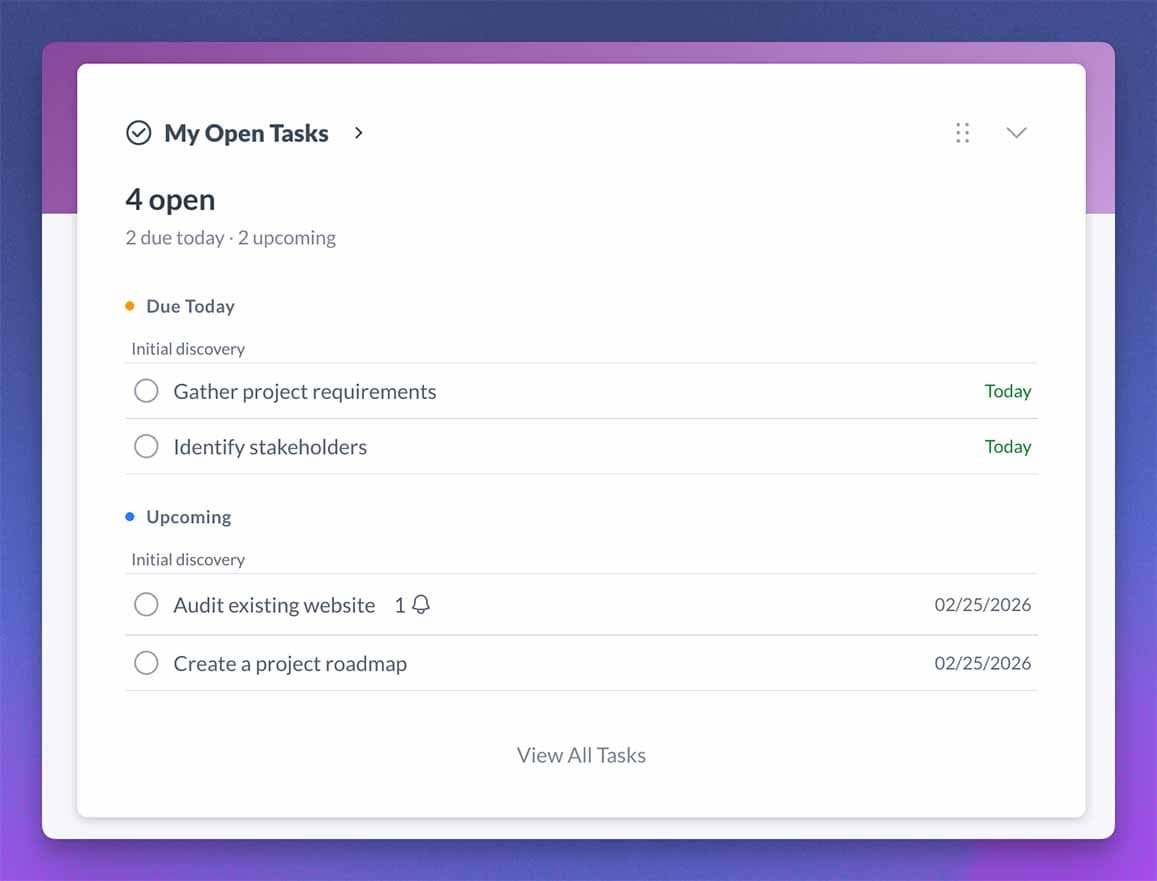
At the top, a single-line summary tells you exactly where things stand – something like “12 open · 3 overdue · 2 due today” – before you even read the list.
Tasks are then grouped by urgency:
- Overdue – surfaces first, oldest at the top
- Due Today – what needs attention now
- Upcoming – what’s on deck
- No Due Date – everything else
Your custom section and drag-and-drop order are respected throughout.
For you and your team, this means less scanning and fewer missed priorities.
For your clients, the sections separate what needs attention now from what can wait.
File comments + annotation pins
Review comments, mentions, and image pins for the current feedback controls.
You can now comment directly on any file, with threaded replies, @mentions, and 👍 reactions.
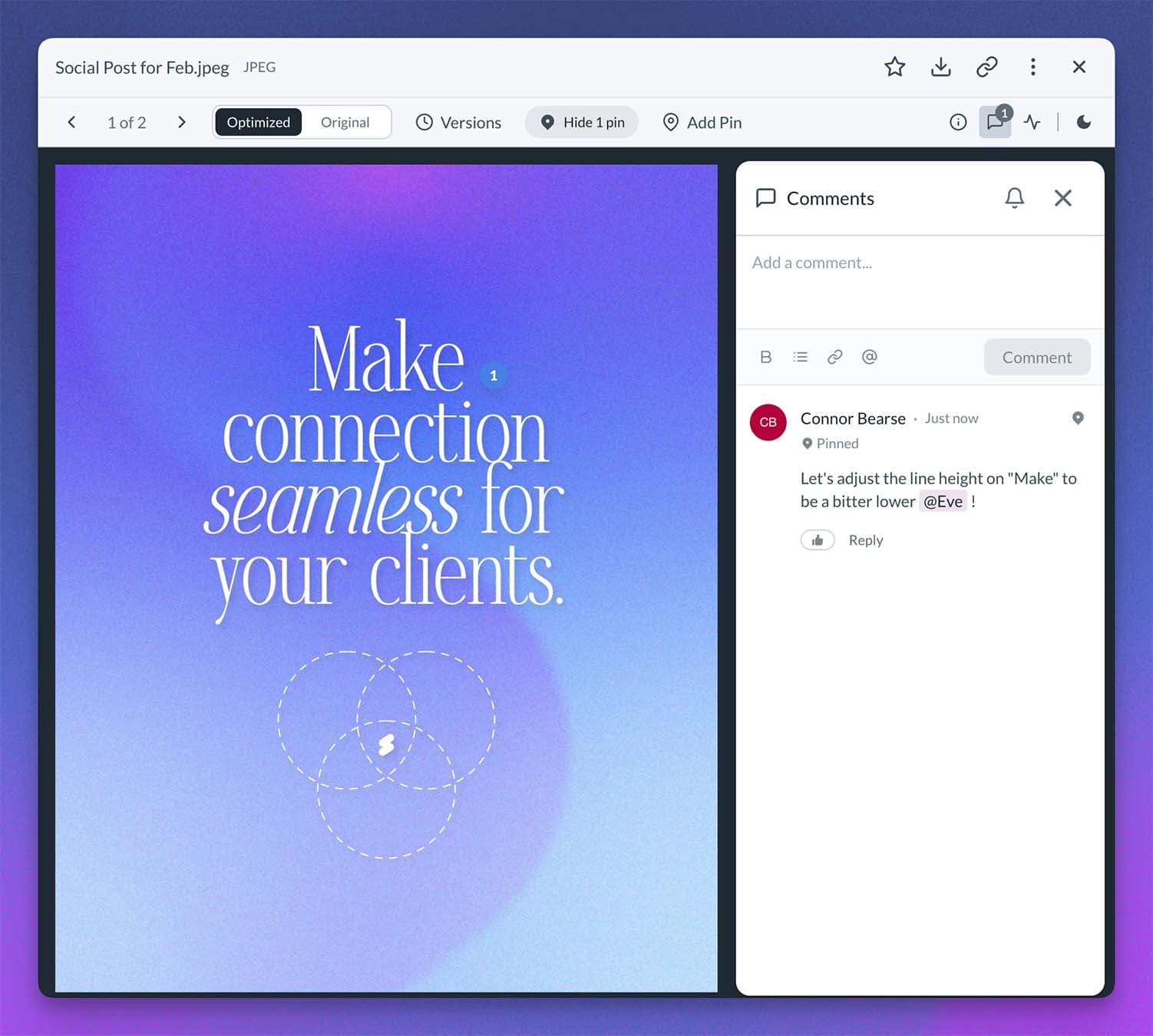
For images, you can drop numbered annotation pins exactly on the spot you’re talking about – click a pin to jump to the comment, click the comment to bounce the pin.
That means:
- Precise visual feedback on designs
- Threaded replies that stay attached to the file
- @mention team members or clients – both sides can comment in the same thread
- Toggle to see only pins and comments from the current file version
No more trying to explain “that button in the top right corner.”
File versions
Review file versions and history for the current version workflow.
Upload a new version of a file without cluttering the module.
Each version can include change notes which gets logged in the file history (see below).
Old versions stay intact, any version can be previewed or downloaded inline, and clients with Full Access can upload their own revisions too.
Set any version to the “Current” version which is what shows up in the file module.
Especially useful for proposals, branding assets, and anything iterative.
Feature Control
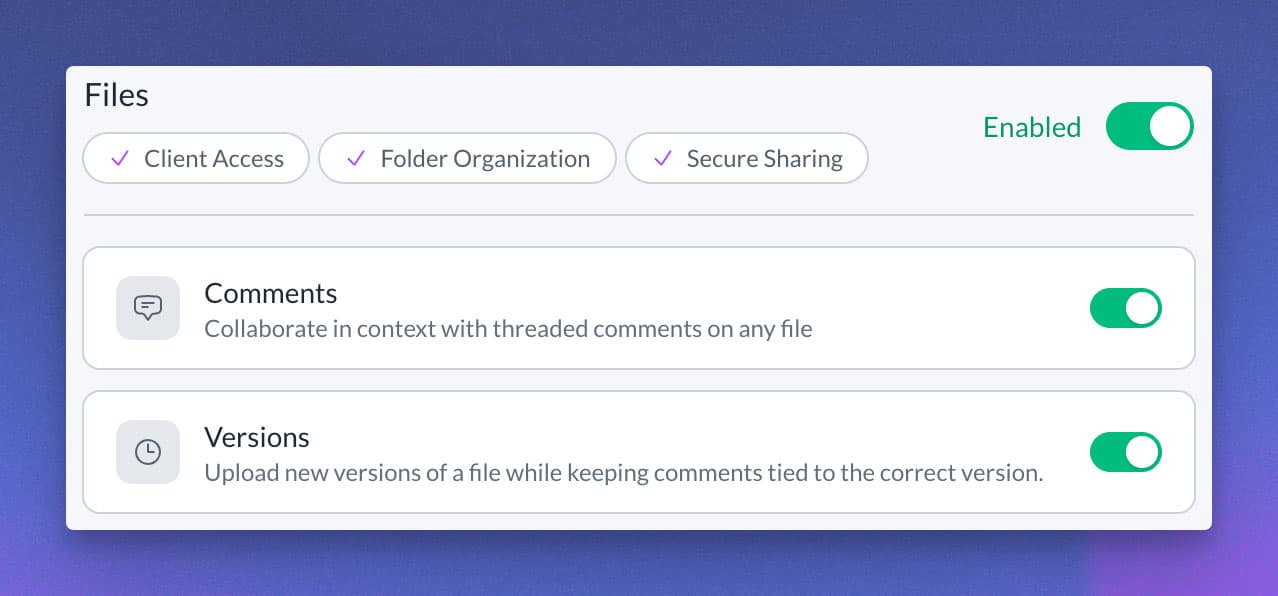
Don’t want comments or versions in your Files module?
Head to Company Settings → Features and toggle them off.
Simple as that.
File history (team only)
Each file now includes team-only activity history for supported file events.
You can review supported uploads, views, downloads, renames, and moves recorded during the available history window.
Filter the available events by All / Team / Clients, and export up to 5,000 rows to CSV. The history view covers a rolling period of up to six months.
When a supported view or download event is recorded, the history can help you confirm who accessed the file.
Recent notifications widget
Both you and your clients now have a Recent Notifications widget on account dashboards!
This shows the latest notifications grouped by date, with unread indicators and a direct link to the full notification center.
Clients see file comments, replies, @mentions, and task activity that is relevant to them.
The portal notification drawer lets clients review more recent notifications related to work they can access.
No digging through modules to figure out what’s new.
This is the kind of work I’m most proud of, meaningful upgrades that make day-to-day client work noticeably smoother.
We’re investing a lot into the stability and foundation of Sydnee to really take all the features in Sydnee to the next level in the coming months.
I can’t wait to share it all with you!
-Connor Bearse







