

At Sydnee, we understand that reliable email communication is essential for maintaining smooth operations and client satisfaction. That’s why we’ve been diligently optimizing our email systems to ensure maximum deliverability, maintain clean sending domains, and provide transparency when issues arise.
Here’s everything you need to know about recent updates and how our system supports your business.
Key Features of Sydnee’s Email System
Our email system is designed to provide clarity and control over your communication. Here are the highlights:
Login Code Delivery
Login codes are always delivered, even if a user has opted out of emails. These are considered “transactional” since the email is only sent when requested. If your clients are having issues receiving these codes, we recommend checking the email history log to see if there are any issues on Sydnee’s side.
Account Access Alerts
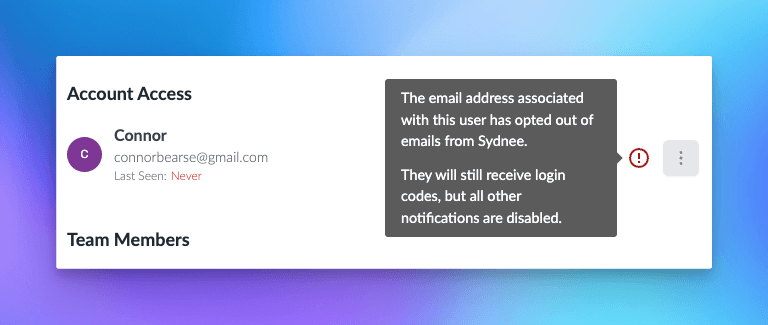
If a client opts out of emails, a red exclamation mark appears next to their name in the “Account Access” panel, providing immediate visibility.
Opt-Out Notification in Email Logs
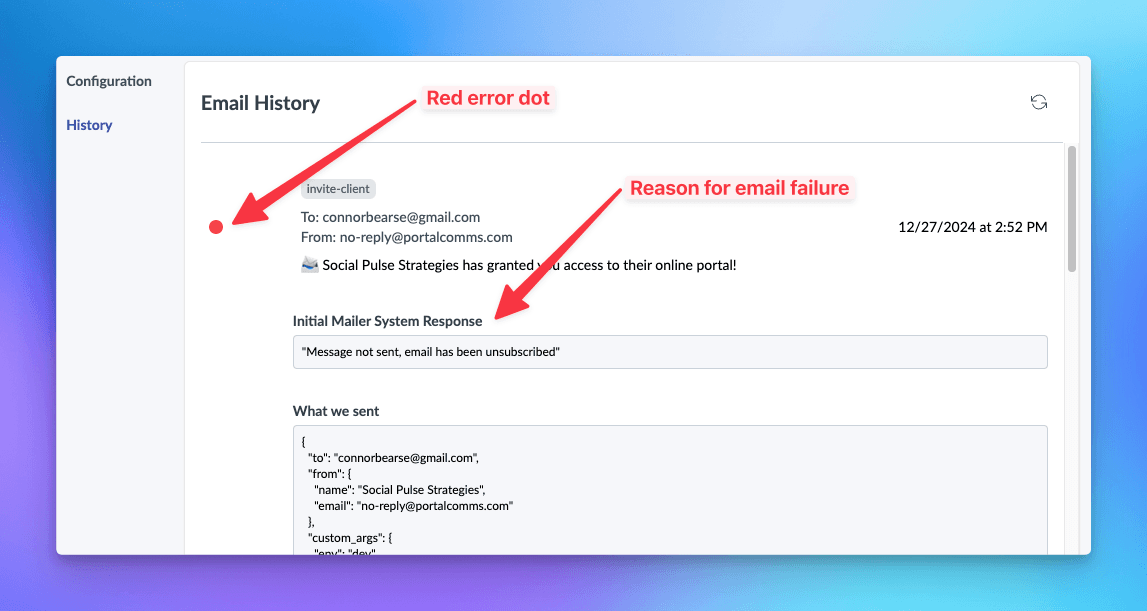
Emails sent to opted-out recipients are marked with a red dot in the email log. Clicking on the entry provides the exact reason for the opt-out.
Detailed Event History
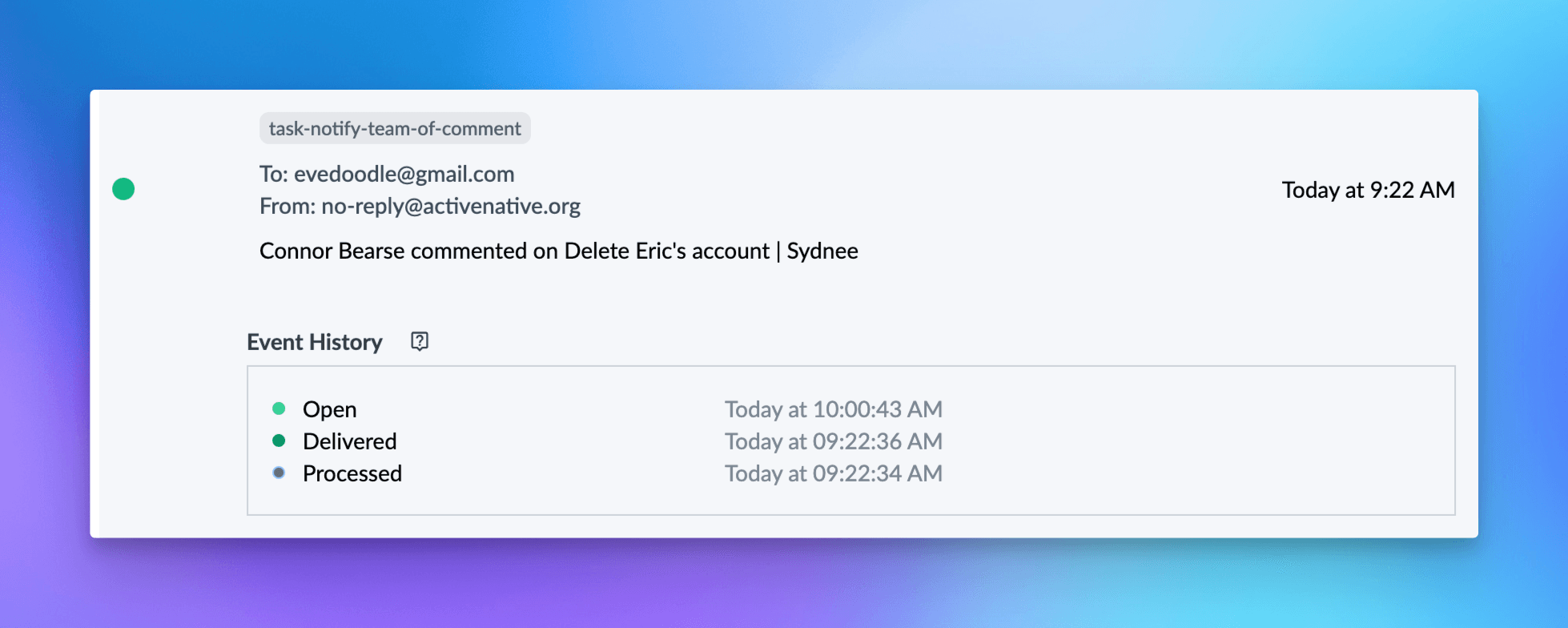
Sydnee provides an email delivery log for supported messages. You can review the past 7 days on Core, 90 days on Growth, or 365 days on Power Team. It can include:
• Processing status: Understand when an email is being prepared for delivery.
• Delivery status: Confirm that emails reach the intended inbox.
• Diagnostic events: Review recorded opens and clicks while recognizing that privacy tools and automated scanners can make them unreliable as proof of engagement.
These details can help troubleshoot supported delivery paths. Some transactional and fallback messages are excluded from this workspace log.
Supported emails can show an event history with processing, delivery, open, and click events. An open or click does not prove that a person read or approved the message.
Branded Unsubscribe Page
Clients can opt out of automated notifications using a branded unsubscribe page within your portal. Backend users can manage their email settings directly at Email Settings or unsubscribe without logging in at Unsubscribe Here.
Re-enabling Emails
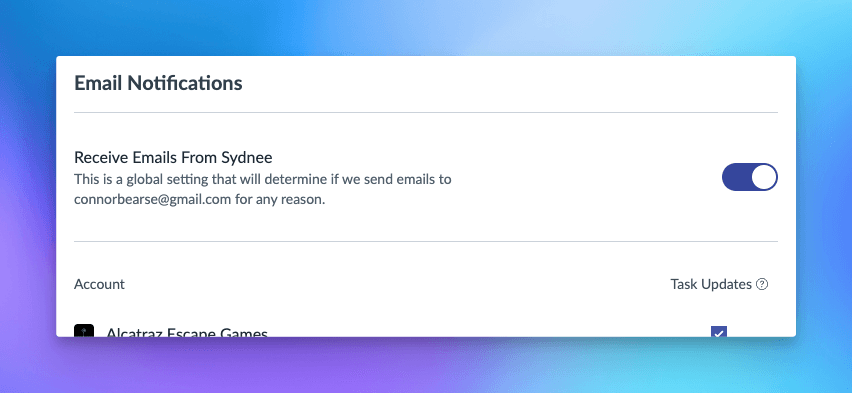
Backend users can re-enable email notifications anytime via the settings page. If a client needs to reverse an unsubscribe, reach out to our support team for assistance.
Need to Improve Deliverability?
If a supported message is missing, use the email sender and delivery log guide to check its status, confirm the recipient address, and choose the appropriate next step.
We’re Here to Help
Our mission is to continuously improve Sydnee to meet your needs. These updates are part of our commitment to ensuring that your email communications remain seamless and effective. If you have any questions or need support, don’t hesitate to contact us.
Thank you for choosing Sydnee! Together, we’re building better client portals every day.







